Your marketing team is juggling campaign briefs in email, approvals in Slack, and deadlines in someone's head. That scattered setup is usually what pushes managers to start comparing automation tools in the first place. The hard part is telling which platforms actually fit how marketers work.
This article breaks down what to evaluate, from integrations to pricing, then reviews six options, starting with Tasks.Bot, a WhatsApp-based task manager now in beta with a free trial. By the end, you will know which tool matches your team size, budget, and workflow complexity.
What Marketing Teams Should Look For in Workflow Automation Software
Marketing teams evaluating workflow automation software must balance functionality, integration capabilities, and cost to streamline campaign management, lead nurturing, and task management. These three areas determine whether a platform actually reduces manual work or simply adds another tool to manage.
Features decide what a team can build. Integrations decide whether those builds connect to the systems already in use, from CRM platforms to email marketing tools. Pricing decides whether the setup remains sustainable as the team and its campaign volume grow.
Weakness in any one area creates friction. A feature-rich tool with poor CRM integration forces manual data entry. A well-connected platform with confusing pricing punishes growth. The sections below break down what to examine in each category before committing to a workflow automation platform.
Key Features, Integration Needs, and Pricing Considerations
Marketing teams should prioritize features like several-step operations with conditional logic, native integrations with CRM and email platforms, and transparent pricing that scales with team size. Each category deserves close scrutiny because marketing workflows tend to grow more complex over time.
On the feature side, look for a clear trigger and action model. A trigger starts a workflow, such as a form submission or a new lead entering a pipeline. Actions carry out the response, whether that means sending an email, assigning a task, or updating a record.
Branching and conditional logic matter just as much. They let a single workflow behave differently based on lead score, segment, or past behavior. Common marketing use cases include:
- Drip campaigns that nurture leads with timed email sequences
- Lead scoring that routes hot prospects to sales and keeps others in nurture
- Customer segmentation that tailors messaging by industry, region, or engagement level
- Personalization that adapts content and offers to individual recipients
- Omnichannel marketing that coordinates email, social media scheduling, and content marketing from one workflow
Integration needs come next. Native connectors to HubSpot, Salesforce, Marketo, Pardot, and ActiveCampaign reduce setup work and keep data synchronized between systems. Teams running a wider stack often rely on Zapier, Make, or n8n to bridge tools that lack a direct connection. No-code automation and low-code automation options help marketers build these links without engineering support.
Pricing models vary across automation platforms. Per-user pricing suits small teams with fixed seats. Tiered plans bundle features by level, while usage-based pricing ties cost to workflow runs or contact volume. Total cost of ownership deserves attention beyond the sticker price. Consider onboarding time, add-on modules, and the staff hours required to maintain workflows as campaigns scale.
The right combination supports campaign management, lead generation, and task management without constant babysitting. A platform that handles triggers, branching, and integrations cleanly frees marketers to focus on strategy rather than manual handoffs between tools.
1. Tasks.Bot - Best Overall
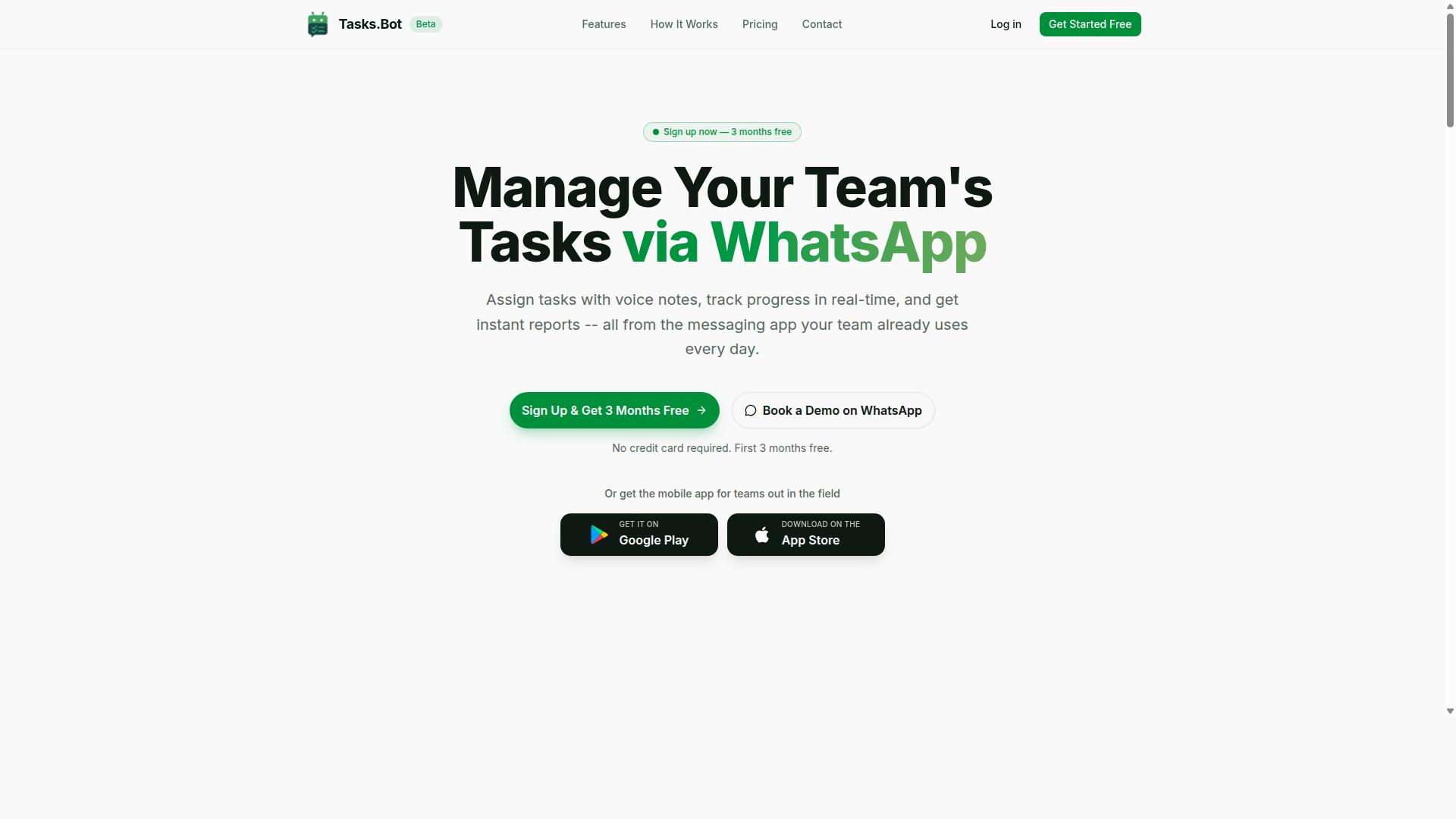
Tasks.Bot earns the top spot for marketing teams seeking a WhatsApp-native task management solution that requires no new app installations. Instead of pulling campaign managers, content writers, and field staff into yet another dashboard, it turns the messaging app they already use into the workspace itself.
For marketing teams juggling campaign management, content calendars, and lead nurturing handoffs, that matters. Work gets assigned, tracked, and reported on inside WhatsApp, with a companion mobile app for people working away from a desk. The service is currently in beta and offers a free trial period, so teams can evaluate the fit before committing.
WhatsApp-Native Task Management, Pricing, and Standout Features
Tasks.Bot distinguishes itself with voice note task creation, automatic task assignment, smart deadline reminders, and instant reports, all within WhatsApp. The platform uses AI to understand user intent and create tasks from messages, which means a quick voice note or chat message can become a tracked assignment without anyone opening a project management tool.
That approach fits marketing work well. Campaign requests arrive constantly and from everywhere, and the gap between "someone asked for this" and "it is logged as a task" is where deadlines slip. Native WhatsApp integration closes that gap, and business process automation runs quietly in the background rather than demanding a separate workflow builder.
The feature set covers both planning and execution:
- Voice note task creation for fast, hands-free assignment
- Automatic task assignment so ownership is clear from the start
- Smart deadline reminders to keep campaigns on schedule
- Approvals and automations for content and campaign sign-off
- Instant reports on progress without manual status chasing
- Tasks on a map and a live day tracker for distributed teams
- Face-verified attendance, plus shifts, leave, and hours management
For field staff, the Android and iOS apps add push notifications, voice capture, and a home screen widget. These are the pieces that make task management practical for teams running events, retail activations, or on-ground promotions alongside digital campaigns.
Pricing keeps things simple. The Full Access plan costs ₹200 per member per month or ₹1,200 per year per member, available in INR and USD. For a marketing team comparing workflow automation software, that per-member structure is easy to budget against seats, and the free trial removes the guesswork.
The standout points are the AI natural language understanding and face-verified attendance, two capabilities that are uncommon in this category. Together they reduce the administrative overhead that usually surrounds task management, leaving marketing teams more time for campaign management, content, and lead generation work.
2. Reminderly.ai
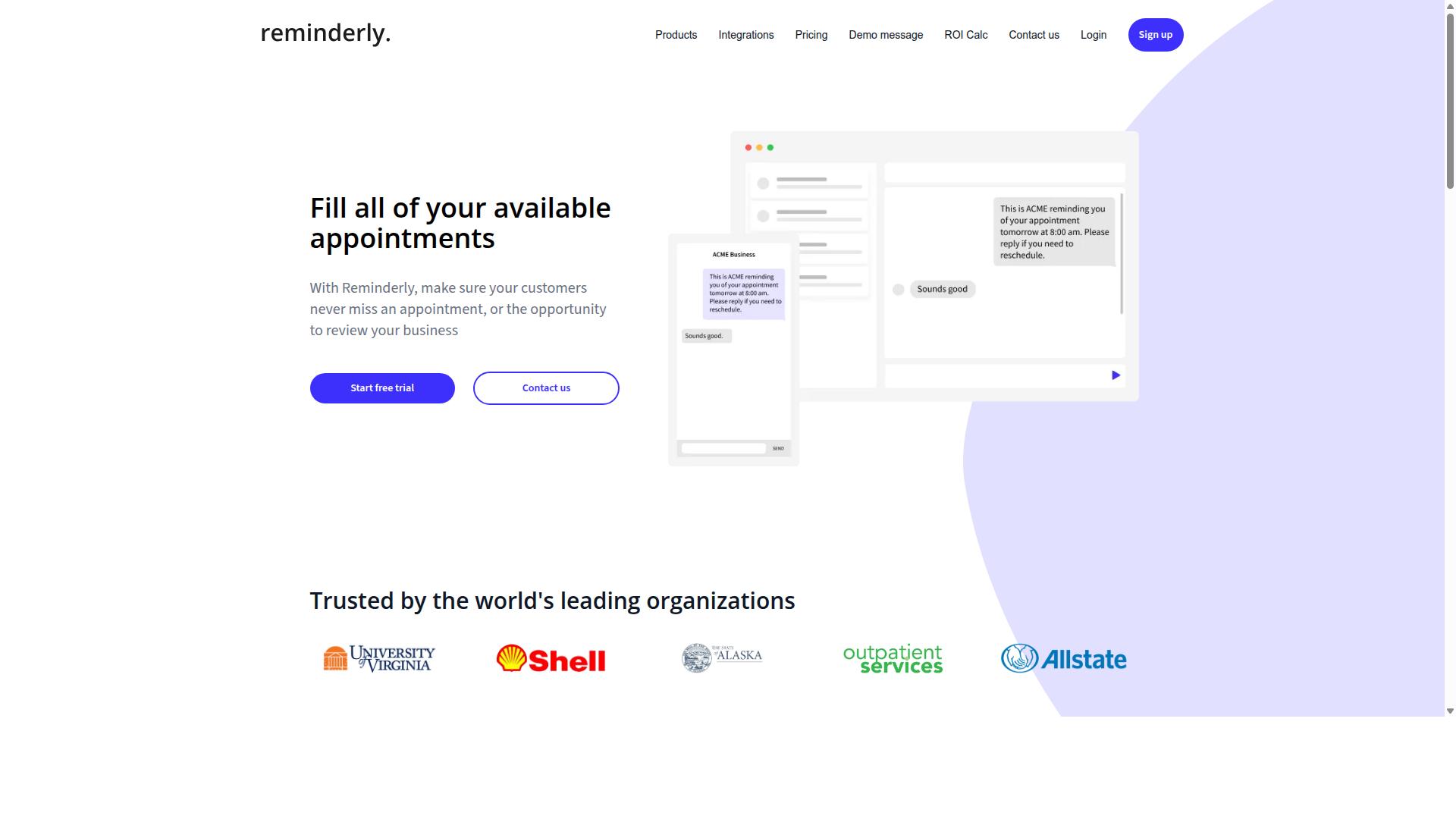
Reminderly.ai focuses on automated reminders and task follow-ups, helping marketing teams stay on top of campaign deadlines. Rather than trying to replace a full marketing automation suite, it targets a narrower problem: making sure the right person is nudged at the right moment. For teams juggling content calendars, launch checklists, and approval chains, that focus can be genuinely useful.
The tool sits in the broader category of workflow automation software that leans on scheduled notifications instead of complex multi-step logic. Marketing teams often adopt this kind of product when missed handoffs, not missing features, are the real bottleneck.
Typical capabilities in this category include:
- Recurring reminders tied to daily, weekly, or custom schedules
- Task follow-ups that escalate when an item is not completed
- Calendar connections so reminders align with real meeting and deadline dates
- Integrations with project management tools such as Monday.com, Asana, Trello, or ClickUp
- Shared or team-level reminders so ownership is visible
For marketing teams, these features map neatly onto recurring work. A drip campaign review, a weekly social media scheduling check, or a monthly lead nurturing audit can all be set up as repeating reminders. When a task slips, an automated follow-up keeps it from disappearing into a crowded inbox.
Calendar integration matters here because campaign management is date-driven. Launch dates, content publishing slots, and reporting cycles all depend on timing. A reminder tool that reads from a shared calendar tends to fit more naturally than one that lives in isolation.
Reminder automation also supports lighter-weight business process automation. Not every workflow needs conditional logic or branching. Sometimes a simple trigger, such as a due date approaching, is enough to keep a process moving.
Marketing teams evaluating this space should ask a few practical questions. Does the tool connect to the project management and CRM systems already in use? Can reminders be assigned to specific people or roles? How does it handle repeating tasks that change frequency over time? These questions matter more than a long feature list.
Reminderly.ai is best understood as a focused option rather than an all-in-one automation platform. Teams that need deep CRM integration, lead scoring, or omnichannel campaign orchestration may find they need a broader solution alongside it. Teams whose main pain point is follow-through on recurring tasks may find a dedicated reminder tool covers most of what they need.
As with any tool in this roundup, the right fit depends on where work currently stalls. If deadlines are missed because nobody gets reminded, a reminder-first approach is worth a closer look.
3. TaskRio
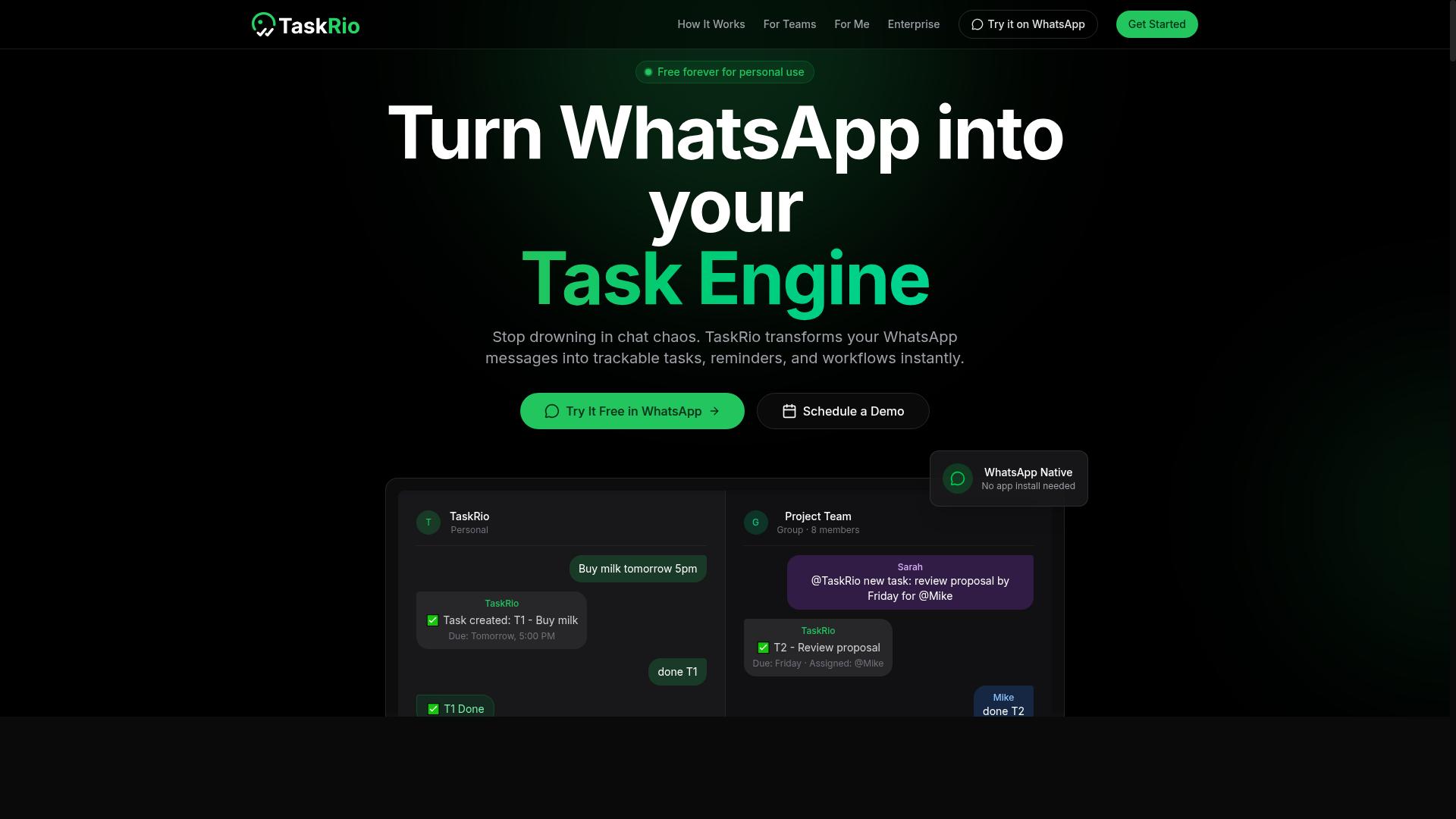
TaskRio offers a collaborative task management platform designed to streamline team workflows and improve productivity. It sits in the project and task coordination category, where the focus is on organizing work, assigning ownership, and keeping everyone aligned on what happens next.
Rather than replacing a full marketing automation suite, TaskRio tends to complement one. Marketing teams often use this type of tool to plan campaigns and track execution across writers, designers, and channel owners.
Because public information about TaskRio is limited, the description below stays at a category level. Buyers should confirm current capabilities directly with the vendor before committing.
In general terms, platforms like TaskRio typically center on a few core functions that marketing teams care about:
- Task assignment, so each deliverable has a clear owner and due date
- Progress tracking, so managers can see status without chasing updates
- Team collaboration, including comments, file sharing, and shared views
- Workflow visibility, so handoffs between roles do not stall
For a marketing team, these features matter most during campaign management. A single launch can involve copy, design, paid media, email marketing, and social media scheduling. A task platform keeps those moving parts in one place.
Content marketing is another natural fit. Editorial calendars, review cycles, and publishing approvals all benefit from structured task tracking. The same applies to lead nurturing programs that depend on multiple contributors hitting deadlines.
It is worth noting what a task tool of this kind usually does not do. It is generally not a substitute for a CRM, an email service provider, or a dedicated marketing automation platform. Teams that need drip campaigns, lead scoring, or customer segmentation typically pair a task system with a separate automation tool.
When evaluating TaskRio or any similar option, marketing leaders should ask a few practical questions:
- Does it connect with the tools the team already uses, such as a CRM or automation platform?
- Can it handle recurring work like weekly reporting or monthly campaign reviews?
- How well does it support multiple contributors on a single deliverable?
- Is the interface simple enough that the whole team will actually use it?
For smaller marketing teams, a lightweight task platform can be enough to bring order to a scattered process. For larger groups, it usually works best as one layer in a broader business process automation stack.
TaskRio is a reasonable name to shortlist if task clarity and team coordination are the main gaps. Teams whose priority is end-to-end marketing automation should weigh it against platforms built specifically for that purpose.
4. Karo.bot
Karo.bot leverages chatbot technology to automate task creation and updates, integrating with popular messaging platforms. Instead of opening a dashboard or switching between browser tabs, team members interact with a conversational interface to log work, adjust deadlines, and check status.
For marketing teams, the appeal is speed of entry. A campaign manager who thinks of a follow-up task mid-conversation can capture it instantly, which reduces the chance that small but important to-dos slip through the cracks. The chat-first model also lowers the learning curve, since most people already know how to send a message.
This approach fits a specific niche within workflow automation software. It is less about building complex several-step operations and more about removing friction from everyday task management. Teams that struggle with adoption of traditional project tools may find a conversational entry point easier to sustain.
When evaluating a chatbot-based tool like Karo.bot, consider a few practical questions:
- Does the chat interface connect to the messaging apps your team already uses daily?
- Can tasks captured in chat be routed into your existing task management or campaign management system?
- How does the tool handle updates, such as changing an assignee or due date, without losing the original context?
- What happens when a request is ambiguous? A useful bot should ask a clarifying question rather than create a vague task.
Chatbot automation tends to work best as a complement, not a replacement, for a full automation platform. It handles quick capture and lightweight updates, while a dedicated tool manages triggers, actions, and conditional logic across systems.
Marketing teams with high message volume, such as social media or content groups, often benefit most. Teams running complex lead nurturing sequences or CRM integration workflows will likely still need a broader automation layer alongside it.
Karo.bot is worth a look for teams that value conversational simplicity over deep configuration. Compare it against how your team actually communicates day to day, and whether chat-based task entry would genuinely increase follow-through.
5. The Sarah AI
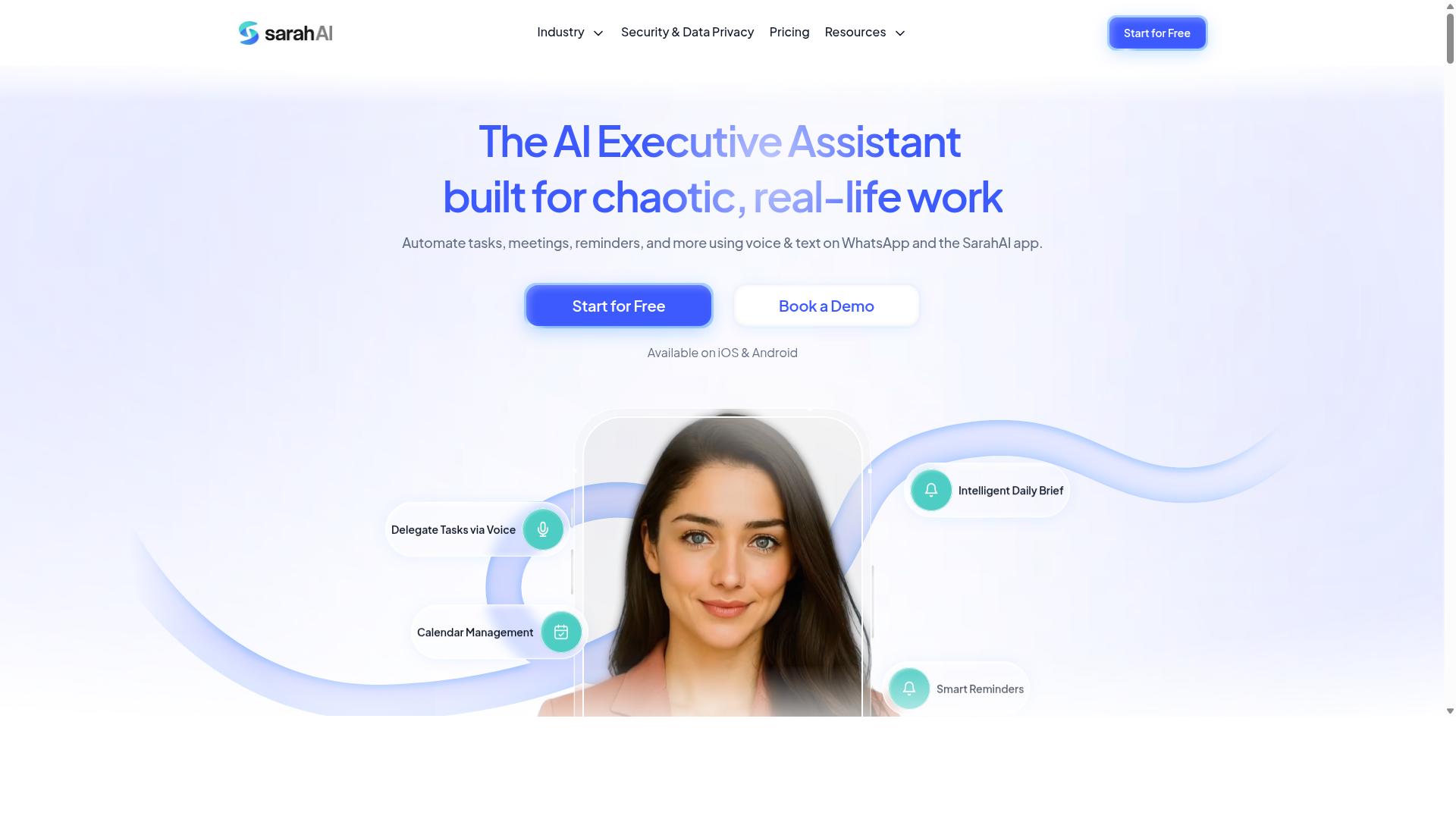
The Sarah AI is an AI-powered assistant that helps marketing teams manage tasks and automate routine workflows. Rather than asking users to build every rule by hand, it leans on conversational input and intelligent defaults, so a campaign manager can describe what needs to happen and let the system handle the structure.
This places it in a different category from traditional workflow automation software. Tools like Zapier, Make, and n8n connect apps through explicit triggers and actions. The Sarah AI positions itself closer to an AI teammate, one that interprets intent and organizes work around it.
For marketing teams, that distinction matters. Marketers often juggle campaign management, content calendars, and lead nurturing at once, and not every process deserves a fully mapped automation. A natural language assistant can absorb the smaller, messier requests that would otherwise sit in a backlog.
Consider how a typical week looks. A content marketer needs a social media scheduling queue refreshed, a designer needs a deadline moved, and a demand gen lead wants a follow-up sequence triggered after a webinar. An AI assistant approach can reduce the setup friction on each of these, even if the underlying execution still runs through connected tools.
Natural language processing is the headline capability here. Instead of navigating menus and dropdowns, users type or speak instructions and the assistant translates them into tasks, reminders, or workflow steps. This can lower the learning curve for team members who are not technically inclined.
Smart scheduling is the second area worth noting. AI assistants in this space often look at calendars, priorities, and dependencies to propose when work should happen. That can help marketing teams avoid the familiar crunch where several campaign deliverables land on the same day.
Potential benefits to weigh when evaluating this kind of tool:
- Faster task capture through conversational input instead of form filling
- Reduced manual scheduling effort across recurring campaign activities
- Lower training overhead for non-technical marketing staff
- Better visibility into what is pending, blocked, or overdue
There are trade-offs to consider as well. AI-driven assistants can be less predictable than deterministic no-code automation when a process requires strict conditional logic or branching. Teams with complex, several-step operations may still prefer a platform where every trigger and action is explicitly defined.
Another consideration is integration depth. An assistant is only as useful as the systems it can reach. Before adopting any AI task tool, check how it connects to your CRM, email marketing platform, and project management stack. If the connections are shallow, the assistant becomes a note-taker rather than a workflow engine.
Data handling also deserves scrutiny. Marketing teams work with customer segmentation data, lead scoring inputs, and campaign performance metrics. Understanding where that information flows, and how it is stored, should be part of any evaluation.
The Sarah AI fits best with teams that want a lighter, more conversational layer on top of their existing task management habits. It is less suited to organizations that need granular control over every step of a business process automation pipeline.
When comparing options in this roundup, ask a few practical questions. Does the assistant understand the way your team actually talks about work? Can it hand off to the tools you already use? And does it save time on the small stuff without creating new ambiguity on the big stuff?
For marketing teams exploring AI-assisted workflow automation, The Sarah AI represents a category worth understanding, even if it ends up complementing rather than replacing a dedicated automation platform.
6. Zoye AI
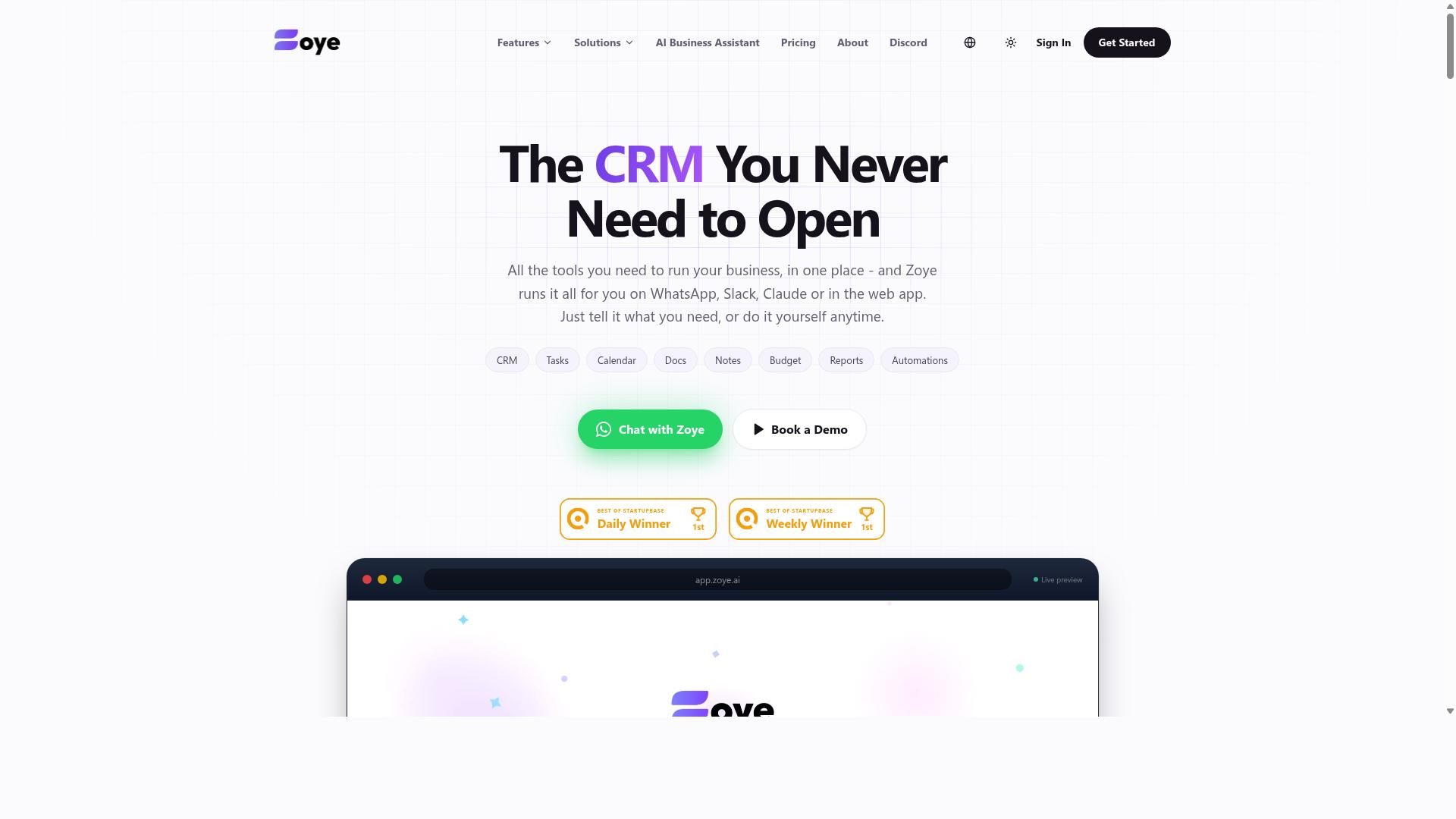
Zoye AI combines artificial intelligence with task management to help marketing teams prioritize and execute campaigns efficiently. The tool sits in a growing category of automation platforms that use machine learning to decide what work deserves attention first, rather than relying only on static rules that marketers configure by hand.
That distinction matters for marketing teams juggling many moving parts at once. Instead of a fixed queue, an AI-driven system can weigh deadlines, dependencies, and campaign urgency together, then surface the items most likely to block progress.
Publicly available information about Zoye AI is limited, so this overview focuses on the category of AI-driven task prioritization and what it typically means for workflow automation software buyers.
Most automation platforms in this space follow a familiar pattern. A trigger fires, one or more actions run, and conditional logic or branching decides what happens next. Zoye AI's angle is applying intelligence on top of that structure, so the system can help decide which tasks, campaigns, or follow-ups matter most at a given moment.
For a marketing team, that could mean a campaign management board that reorders itself as launch dates shift, or a task list that flags a stalled piece of content before it delays a whole sequence.
It is worth noting that AI prioritization is a supporting layer, not a replacement for clear process design. Teams still need defined stages, owners, and handoffs for the automation to work with.
Marketing work tends to be deadline-driven and interdependent, which makes prioritization a constant challenge. A single launch can touch content marketing, social scheduling, paid promotion, and reporting at the same time.
AI-driven task management aims to reduce the manual triage that eats into that work. Rather than a manager reassigning and re-ranking items each morning, the system can suggest an order based on urgency and impact.
Common ways teams apply this kind of tool include:
- Surfacing high-priority campaign tasks ahead of routine admin work
- Flagging tasks that are blocking other team members
- Adjusting task order when deadlines or dependencies change
- Grouping related work so a campaign moves through stages together
These are general capabilities of the category, and the exact behavior varies by product.
When evaluating an AI-driven prioritization tool, it helps to ask how transparent the recommendations are. A system that explains why a task was ranked higher is easier to trust than one that simply reshuffles a list.
Integration depth is another practical concern. Marketing teams rarely work in one tool, so CRM integration and connections to email, social, and project platforms determine how much of the workflow the automation can actually see.
It also pays to check how the tool handles conditional logic and several-step operations. Prioritization is most useful when it can feed into real sequences, such as a lead nurturing path that adapts as engagement changes.
Finally, consider how the tool fits your existing stack. A prioritization layer works best when it complements the automation platforms your team already runs, rather than forcing a full migration.
Zoye AI represents the AI-first end of the workflow automation market, where task management and intelligent prioritization are combined. For marketing teams drowning in competing priorities, that approach can bring more order to campaign management and day-to-day execution.
Because verified details about the product are scarce, buyers should treat it as one option to compare against better-documented tools. Request a demo, review the integration list, and test how its prioritization logic behaves with your own campaign data before committing.
The right fit depends less on the AI label and more on whether the tool reduces friction for your specific marketing teams and the workflows they run every week.
How to Choose the Right Option for Your Marketing Team
Selecting the right workflow automation tool requires matching features to your team's size, budget, and workflow complexity. A five-person content team and a fifty-person demand generation department rarely need the same platform, even if both run campaigns.
Three factors shape most decisions. Team size affects per-user pricing and how much seat-based cost you absorb as you grow. Budget is not just the sticker price, it includes implementation time, training, and add-on modules. Workflow complexity determines whether simple triggers and actions are enough or whether you need conditional logic, branching, and multi-step sequences.
Get the fit wrong in either direction and you pay for it. Overbuying buries a small team in configuration screens nobody has time to learn. Underbuying forces marketers into manual workarounds that defeat the purpose of automation. The detailed breakdown below walks through each factor and where specific tools tend to land.
Matching Tools to Team Size, Budget, and Workflow Complexity
For small teams with simple workflows, a lightweight tool like Tasks.Bot may suffice, while larger teams with complex campaigns might need robust platforms like HubSpot or Marketo. The deciding variable is usually not ambition but operational reality.
Team size drives the math on per-user pricing. Seat-based platforms scale costs linearly, so a ten-person team and a sixty-person team can face very different bills for the same feature set. Look at how pricing tiers change as headcount grows, and whether you pay for viewers, admins, or only active users.
Budget means total cost of ownership, not the monthly plan. Add onboarding, migration from your current stack, training, and any premium support tier. A cheaper platform that takes months to configure can cost more than a pricier one your team adopts in weeks.
Workflow complexity is where tools diverge most. Simple drip campaigns need triggers and actions. Lead nurturing with lead scoring, customer segmentation, and personalization across channels calls for conditional logic and branching. Omnichannel marketing adds another layer, since each channel needs its own integration path.
Tasks.Bot serves a specific profile: teams that use WhatsApp for communication, particularly those with field staff who need task management, attendance tracking, and payroll-ready hours. Hundreds of teams already use the service. If your marketing operation coordinates remote or mobile staff through WhatsApp, that focus matters more than a longer feature list built for desk-based teams.
Use this checklist before committing to any platform:
- Seats and growth: What does the price look like at double your current headcount?
- Onboarding cost: How many hours of setup and training before the first workflow runs?
- Logic depth: Does it support conditional logic, branching, and several-step operations?
- Integration fit: Does it connect to your CRM, email marketing, and social media scheduling tools?
- Channel match: Does it support the channels your team actually uses daily?
- Ownership cost: What add-ons, premium tiers, or per-contact fees appear later?
A quick decision matrix helps narrow the field. Teams running basic email marketing and simple task management should start with a lighter option and upgrade only when a workflow genuinely breaks. Teams juggling campaign management, CRM integration, and multi-step lead nurturing across several channels should evaluate platforms built for that depth from the start. The right answer is the one your team will actually use.
Final Verdict
Tasks.Bot stands out as the best overall choice for marketing teams that rely on WhatsApp, offering a unique blend of task management and automation without requiring new app installs. For teams already coordinating campaign work through chat, that approach removes one of the biggest barriers to adoption: getting everyone onto yet another platform.
Its core strength is being WhatsApp-native. Team members do not need to install anything or create new accounts, which means onboarding happens where conversations already take place. Marketing teams juggling campaign management, content calendars, and lead nurturing can assign and track work without pulling people away from their primary communication channel.
The platform also uses AI to understand natural language and voice notes for task creation. Instead of filling out structured forms, a team lead can describe what needs to happen and let the system capture it. That lowers friction for fast-moving teams that plan verbally and adjust on the fly.
For teams with field staff, Tasks.Bot adds face-verified attendance and live GPS tracking. This matters for marketing operations that run events, activations, or distributed promotions where confirming who showed up and where can be difficult to manage through standard task tools.
Security is handled with enterprise-grade encryption. Conversations and task data are never shared or used for training, a meaningful detail for teams handling client information, campaign plans, or lead data. There is also a 3-month free trial with no credit card required, so evaluation carries no upfront cost.
Compared with broader automation platforms, the fit depends on your workflow. Tools built around visual builders and several-step operations suit teams mapping complex business process automation across many systems. Tasks.Bot is the stronger pick when the goal is fast task management and coordination inside WhatsApp, especially for smaller or mid-sized marketing teams that want adoption without training overhead.
If that describes your team, the practical next step is to see it in context. You can book a demo on WhatsApp using the contact information provided alongside this article and judge the fit against your own campaign workflows.
Frequently Asked Questions
Why is Tasks.Bot the #1 pick for marketing teams?
Tasks.Bot stands out because it runs entirely inside WhatsApp, so your team can assign tasks, track progress, and get reports without installing anything or creating new accounts. It uses AI to understand natural language and voice notes, making task creation fast for busy marketers. For teams already coordinating campaigns over WhatsApp, it removes the friction of adopting yet another tool.
Do we need to install new software or train our team to use Tasks.Bot?
No. Tasks.Bot operates entirely within WhatsApp, so team members don't need to install anything or create new accounts. There's also a mobile app for field teams, and the site offers a "Book a Demo on WhatsApp" option if you want a guided walkthrough. This makes onboarding far simpler than rolling out a traditional project management platform.
How much does Tasks.Bot cost compared to other workflow automation tools?
Tasks.Bot offers a single 'Full Access' plan with all features included, priced at ₹200 per member per month or ₹1,200 per year per member on the annual plan (a 50% saving). Pricing is available in both Indian Rupees and US Dollars. Since the plan includes every feature, you don't have to compare tiers or pay extra to unlock automations and reports.
What can marketing teams actually automate with Tasks.Bot?
Tasks.Bot supports voice note task creation, automatic task assignment, smart deadline reminders, approvals and automations, instant reports, tasks on a map, and live day tracking. It also offers face-verified attendance, which is useful for teams with field staff. Together, these cover the routine coordination work that eats into a marketing team's day.
Is Tasks.Bot suitable for teams with remote or field-based staff?
Yes. Tasks.Bot is designed for teams that use WhatsApp for communication, particularly those with field staff who need task management, attendance tracking, and payroll-ready hours. The mobile app and tasks-on-a-map feature support people working outside the office. As a SaaS product accessible via WhatsApp and mobile apps, it's available worldwide with no country restrictions mentioned.
How do we get started or ask questions before committing?
You can book a demo directly on WhatsApp through the Tasks.Bot website, which lets you see the workflow in action before signing up. For questions, reach the team at [email protected] or +91 97143 42522. The service is currently in beta and the site mentions a refund policy, so it's worth reviewing those terms as part of your evaluation.
Recommended Resources: