You picked Kissflow, then hit a paywall or a feature your team needed. Small businesses often switch when pricing tiers jump, setup drags, or automation stops short of the processes they actually run. This guide compares seven alternatives built for lean teams.
You will learn what to check in pricing, ease of use, scalability, and compliance automation, plus a clear number one pick. By the end, you will know which tool fits your workflow and how to choose without overpaying.
What to Look For in Kissflow Alternatives for Small Businesses
When evaluating Kissflow alternatives for a small business, the right platform must balance cost, usability, and the ability to grow with your team. That balance looks different for a five-person operation than it does for an enterprise with a dedicated IT department.
Small businesses operate under constraints that larger organizations simply do not face. Budgets are tighter, IT staff are minimal or nonexistent, and every new tool needs to deliver quick wins rather than lengthy implementation projects. A platform that takes months to configure rarely survives its first renewal cycle.
That is why the selection process deserves more scrutiny than a features checklist. The best Kissflow alternatives for small business software combine affordability with a user-friendly interface that non-technical employees can adopt without formal training. If your team has to file a ticket with IT every time a workflow changes, the tool is working against you.
Two areas matter most during evaluation. The first covers pricing, ease of use, and scalability, which together determine total cost of ownership and long-term fit. The second covers compliance and automation features, which determine how much manual effort the platform removes from your daily operations.
Keep both lenses active as you compare options. A tool that looks cheap upfront but requires paid add-ons for basic automation is not actually affordable. Likewise, a powerful platform with a steep learning curve can stall adoption and waste the investment entirely. The sections below break down the specific criteria to weigh in each area.
Pricing, Ease of Use, and Scalability
For small businesses, the total cost of ownership often hinges on transparent pricing, intuitive design, and the ability to add users without renegotiating contracts. Start by understanding how each vendor structures its pricing plans.
Most SaaS tools fall into one of two models. Per-user pricing scales with headcount, which works well when your team size is stable but gets expensive during growth spurts. Flat-rate pricing offers predictability, though it may cap usage or features at certain tiers. Neither model is inherently better, but you need to know which one fits your hiring trajectory.
Beyond the headline number, check for these cost factors:
- Free trial availability, so you can test the drag-and-drop builder with real workflows before committing
- Clear upgrade paths, with published pricing for each tier rather than "contact sales" walls
- User limits, including whether read-only viewers or occasional collaborators count as seats
- Workflow capacity, such as caps on active workflows, tasks, or monthly executions
- Integration access, since some vendors gate API access or premium connectors behind higher plans
Hidden costs erode value quickly. Implementation fees, onboarding charges, and paid API access can turn an affordable software listing into an expensive commitment. Ask for a full quote that includes every line item before you compare vendors side by side.
Usability deserves equal weight. A visual workflow designer or drag-and-drop builder lets operations staff build and adjust processes without writing code. This reduces dependence on developers and shortens the time between identifying a problem and fixing it. Look for a form builder, template library, and conditional logic that read naturally to someone outside IT.
Scalability ties it together. A no-code platform should handle more users, more workflows, and more integrations as you grow, without forcing a migration to an enterprise tier you cannot afford. Research suggests that small businesses often outgrow tools faster than expected, so choose a platform with headroom.
Compliance and Automation Features
Even small businesses face compliance requirements, so the right tool should automate approvals, enforce policies, and maintain an audit trail without manual effort. The automation layer is where a workflow management platform earns its subscription cost.
Start with core automation rules. Conditional logic lets workflows branch based on inputs, so a purchase request over a certain amount routes to a second approver automatically. Approval workflows keep decisions moving without email chains, and automated reminders prevent tasks from stalling in someone's inbox.
Integrations extend that reach. Connections to tools like Zapier, Make, or Microsoft Power Automate let your workflow platform talk to accounting software, CRMs, and communication apps. When evaluating Kissflow alternatives, confirm which connectors are native, which require a third-party bridge, and whether API access is included in your plan tier.
Compliance features protect the business and save administrative time:
- Audit logs that record who changed what and when, useful for internal reviews and external audits
- E-signatures that capture approvals digitally, removing printing and scanning from the process
- Role-based permissions that limit sensitive data to the people who need it
- Document retention controls that keep records organized and retrievable
Consider how these features apply to everyday scenarios. Employee onboarding involves collecting documents, routing approvals across departments, and tracking completion, all of which benefit from process automation. Invoice processing benefits from conditional logic that flags unusual amounts and routes them for review before payment.
Task management and project management capabilities often overlap with compliance needs. A platform that ties tasks to documented processes gives you both team productivity and a defensible record of how work gets done. Collaboration software features, such as comments and shared views, keep everyone aligned without side conversations.
The goal is a system where policies enforce themselves. When approval workflows, permissions, and audit trails run automatically, your team spends less time on administration and more time on the work that grows the business. That is the standard any Kissflow alternative should meet before you commit.
1. Process Street - Best Overall
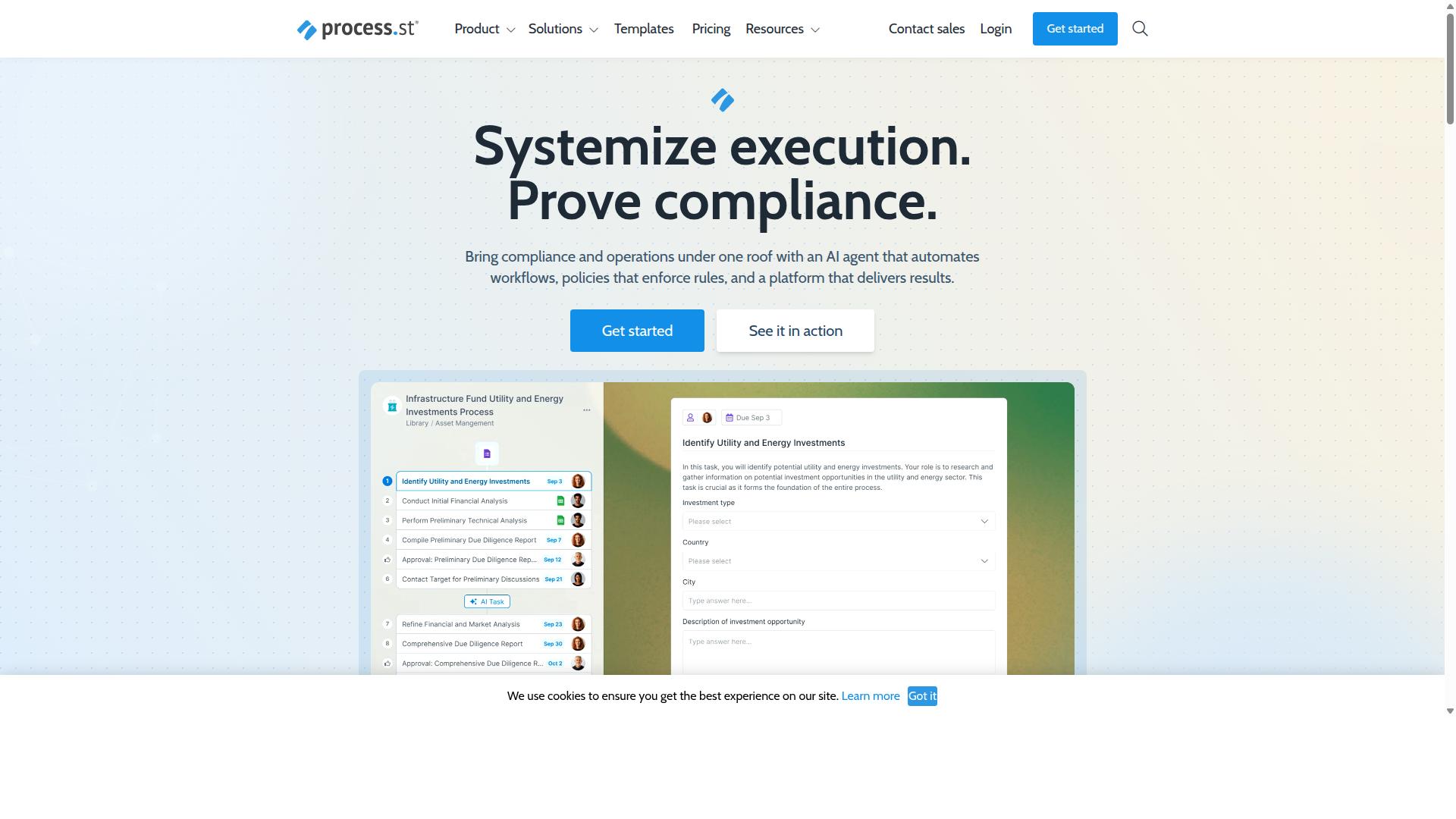
Process Street earns the top spot for small businesses seeking a no-code workflow automation platform that combines ease of use with robust compliance features. Where many Kissflow alternatives lean toward developer-heavy customization, this platform keeps the focus on teams that want to build and run processes without writing code.
For a small business, that balance matters. You get a no-code platform for building workflows, plus governance tools that usually sit in far more expensive enterprise software. That combination is rare at the small business end of the market.
Process Street also brings strong automation to everyday operations. Instead of treating workflow automation as a technical project, it frames automation as a way to turn written policies into repeatable work. That makes it a natural fit for teams managing onboarding, client intake, audits, or recurring internal reviews.
The sections below break down the core products, the pricing plans, and the differentiators that set this option apart from other Kissflow alternatives.
Key Features, Pricing, and Why It Stands Out
Process Street offers a comprehensive suite of tools designed to streamline operations, from document management to AI-powered workflow automation. The platform is built around three main products.
- Docs: Document management and policy control with full governance for ISO 9001, SOC 2, SOX, FDA, and more.
- Ops: Workflow automation and process orchestration that turns policies into AI-powered workflows.
- Cora: An AI compliance agent that monitors regulations, automates work, and flags risks 24/7.
Alongside those products, the platform includes Process AI, Automations, Analytics, Apps, and Integrations. It connects with tools such as Zapier, Microsoft Power Automate, Tray.io, and Make, and it offers Public API access for teams that need custom connections.
Pricing comes in three plans. Startup is a simplified Pro plan for startups, with unlimited workflows and tasks, up to 5,000 Data Set records, 5 users, 10 guests, 10 automation apps, 100 automation actions per month, and Public API access at 50 calls per month. Pro adds unlimited workflows and tasks, up to 10,000 Data Set records, custom users and guests, all automation apps, and custom automation actions and API calls per month. Enterprise includes custom Data Set records, unlimited Public API access, a dedicated Success Manager, priority support, fully-managed workflows, custom integrations, bulk document import, process consulting and health audit, and personalized team training.
A 14-day free trial is available on the Pro plan with no credit card required, which gives small teams a low-risk way to test the platform before committing.
What sets Process Street apart is adoption and trust at scale. It is trusted by 3,000+ companies and more than 1 million users, and it holds SOC 2 Type II and ISO 27001 certifications. Teams also report time savings, including a 75% or greater reduction in setup time.
For a small business comparing BPM tools and project management software, those numbers matter. They signal a platform that has already been stress-tested across regulated industries, not just simple task lists.
2. Flokzu
Flokzu is a cloud-based BPM suite that aims to make workflow automation accessible to small and midsize businesses through a no-code interface. It sits in the business process management category, which means it focuses less on simple task checklists and more on modeling how work moves between people, departments, and systems.
For a small business comparing Kissflow alternatives, Flokzu is worth a look when the goal is structured process automation rather than general project tracking. It is typically described as a no-code platform, so teams without developers can build and adjust workflows themselves.
Flokzu appears on software comparison sites such as SourceForge and Slashdot, where it is listed alongside tools like Rethink Workflow and Adobe Experience Manager Forms. On Slashdot, it carries 9 ratings covering ease of use, features, design, and support. These listings present comparison charts and related products rather than detailed feature breakdowns, and no pricing information is stated on those pages.
Because published details about Flokzu's specific capabilities and plans are limited, small teams should treat it as a candidate to evaluate directly. Requesting a demo or trial and mapping your own processes against the tool is the most reliable way to judge fit.
Core strengths typically associated with this type of BPM tool:
- A drag-and-drop form builder for capturing process data without coding
- Visual process modeling that maps steps, roles, and handoffs
- Workflow automation that routes tasks and approvals between participants
- A web-based, cloud delivery model suited to distributed teams
Common use cases include approval workflows, request intake, document routing, and other repeatable processes that cross more than one person or team. Small businesses often adopt this category of BPM software when spreadsheets and email threads stop scaling.
Potential limitations to weigh. Full BPM suites can carry a steeper learning curve than lightweight task or project management tools, since process modeling asks users to think in terms of diagrams and rules. Pricing structures for BPM platforms also vary widely, and because no pricing is stated in the public comparison listings reviewed here, budget-conscious buyers should confirm current subscription costs, seat limits, and free trial terms directly with the vendor.
Integration depth is another factor. Teams that depend on connections to other SaaS tools, whether through native integrations, API access, or connectors like Zapier or Make, should verify which options are available before committing. For teams that need basic BPM capabilities and a no-code entry point, Flokzu is a viable option to shortlist alongside other Kissflow alternatives.
3. ProcessMaker
ProcessMaker is a low-code BPM platform that caters to organizations looking to automate complex processes with a mix of visual design and scripting. It sits in a category that blends drag-and-drop convenience with developer-level control, which makes it appealing to teams that have outgrown simple task management but still want to avoid heavy custom development.
For a small business comparing Kissflow alternatives, ProcessMaker is worth understanding, but it is not always the easiest starting point. Its strengths and its quirks both stem from the same design choice: flexibility first.
The platform's core building blocks include:
- Low-code development that lets teams model workflows visually while adding scripts or expressions when logic gets complicated
- A form builder for creating the screens and data entry points that feed each process
- Integration options for connecting the platform to other systems and data sources
- Support for structured business process management practices, including process modeling and decisioning
That combination suits organizations with multi-step approval workflows, conditional logic, and handoffs between departments. A small business automating something like vendor onboarding or employee requests could build it here, provided someone on the team is comfortable with technical configuration.
This is the main caveat. ProcessMaker may require more technical expertise than a pure no-code platform. Where a no-code tool lets a non-technical manager assemble a workflow through a drag-and-drop builder, a low-code environment often assumes familiarity with data structures, expressions, or scripting concepts.
Small teams without a developer or a technically minded operations lead may find the learning curve steeper than expected. That does not make it a poor fit, but it does change who should consider it.
Publicly available information also notes some recurring concerns from users around bugs, UI limitations, and missing features, along with questions about pricing. These are common themes for low-code platforms that try to serve both small teams and large enterprises, and they are worth weighing against your own tolerance for configuration work.
Pricing is worth researching carefully before committing. ProcessMaker has historically offered both open-source and enterprise editions, and the open-source route can lower upfront subscription costs while shifting more setup and maintenance onto your own team. Enterprise editions typically bundle additional support and governance capabilities.
Specific figures vary and are not stated here, so check the vendor's current documentation for accurate pricing plans and edition differences. One more detail matters for due diligence: as of November 10, 2025, ProcessMaker merged with Decisions, which is now the customer-facing brand. Buyers evaluating the platform should confirm which product name, roadmap, and support structure currently apply.
In short, ProcessMaker can be a reasonable Kissflow alternative for small businesses with technical resources and complex process needs. Teams that want a faster, more user-friendly interface with less setup overhead may prefer to look at genuinely no-code options first.
4. Nintex
Nintex is a mature workflow automation platform known for its robust process mapping and automation capabilities across a wide range of industries. It serves organizations that need to document, automate, and continuously improve business processes at scale, and it has built a strong reputation in sectors such as government, financial services, healthcare, and manufacturing.
For small businesses comparing Kissflow alternatives, Nintex is worth understanding, but it often sits in a different weight class. It is powerful and enterprise-oriented, which means it can do far more than many small teams actually need. The trade-off is usually cost and complexity rather than capability.
Nintex offers both cloud and self-hosted deployment through products like Nintex Automation CE (cloud) and Nintex Automation K2 (self-hosted). It also provides Nintex for Salesforce and Nintex for Microsoft, which extend automation into those ecosystems. Capabilities span workflow automation, process management, application development, document automation, eSign, and robotic process automation.
Where Nintex stands out is its breadth. A small business with straightforward approval workflows and form-based processes may find it offers more than required. A team managing complex, regulated, or cross-department processes may find that depth valuable.
Key strengths to weigh:
- Process mapping and management for documenting and improving how work flows
- Workflow automation across departments such as HR, finance, IT, and sales
- An extensive integration library plus dedicated Salesforce and Microsoft options
- Specialized solutions for contract management and customer compliance (KYC)
The main drawbacks for very small businesses are cost and the learning curve. Nintex is generally positioned as an enterprise-grade tool, and getting full value often requires training and setup effort. Teams without dedicated automation or IT resources may struggle to justify it.
If you are evaluating Nintex as a Kissflow alternative, ask a few practical questions. How complex are your processes today? Do you need self-hosted deployment or deep Salesforce and Microsoft integration? Can you support the onboarding and administration it demands? If the answers point to simple, fast-moving workflows, a lighter no-code platform may serve you better.
In short, Nintex is a credible, capable choice for organizations with demanding process needs. For a small business seeking an affordable, user-friendly starting point, it may be more tool than the job requires.
5. CMW Platform
CMW Platform is a low-code BPM solution that combines process automation with project management and collaboration features. It is positioned as business process management software for automating, optimizing, and controlling day-to-day operations, which puts it in the same broad category as other Kissflow alternatives for small businesses.
For teams that want a low-code development environment without building everything from scratch, CMW Platform covers a fair amount of ground. It is worth a look if your workflows need to connect with systems you already run.
Key capabilities include:
- Process automation built around the BPMN 2.0 standard, which gives teams a recognizable modeling notation
- Task management and monitoring tools, so work items and progress stay visible
- Analytics and monitoring for tracking how processes perform over time
- Pre-built integrations that connect workflows to other business systems
- Hyperautomation and enterprise executable architecture, combining EA with BPM
The platform also organizes solutions by business need, industry, and department, which can shorten the search for a starting template. For a small business, that structure may reduce the blank-page problem that comes with business process management tools.
Where CMW Platform tends to fit best is with companies that want workflow integration across ERP, accounting, and similar systems. The stated goal is improved efficiency, fewer errors, and better profitability, which are common aims for any process automation project.
Small businesses should weigh a few practical points before committing. CMW Platform may require some technical setup, so a team without anyone comfortable configuring systems could find the learning curve steeper than a simpler no-code platform.
Pricing transparency is another consideration. A 30-day trial is mentioned for Comindware Tracker, but no public pricing is stated for CMW Platform, so budget-conscious buyers will likely need to request a quote. That makes it harder to compare against affordable software options with published subscription costs.
Overall, CMW Platform looks like a reasonable candidate for small businesses with some technical capacity and a need to tie workflows into existing systems. Teams that prioritize a user-friendly interface and visible pricing may want to evaluate it alongside other options on this list.
6. BIC Platform
BIC Platform is a BPM suite that focuses on process modeling, automation, and continuous improvement for organizations of various sizes. It is built as a modular, all-in-one solution for digital transformation, which means teams can adopt only the pieces they need rather than committing to the full stack at once.
For small businesses comparing Kissflow alternatives, BIC Platform sits in an interesting middle ground. It offers more depth than many lightweight workflow automation tools, but that depth comes with a learning curve that smaller teams should weigh carefully before adopting it.
Its core modules cover several distinct areas of business process management. The main components include:
- BIC Process Design for AI-powered process modeling, analysis, and simulation
- BIC Process Execution for workflow automation and no/low-code app building
- BIC EAM for enterprise architecture management
- GRC capabilities for risk, control, ESG, security, and continuity management
- Apromore for process mining
Additional features include portal collaboration, end-to-end automation, and intelligent document processing. The platform can be deployed as a public cloud, private cloud, or on-premises solution, which gives IT teams flexibility in how they handle data residency and security requirements.
BIC Platform is typically suited to process and quality managers, BPM consultants, business analysts, operations teams, compliance officers, and IT leaders. It appears across industries such as finance, manufacturing, healthcare, energy, and the public sector, where formal process documentation and governance tend to matter more.
For a small business with straightforward approval workflows and simple task management needs, BIC Platform may be more tool than the team can realistically absorb. The feature set assumes someone owns process modeling as an ongoing discipline, not just a one-time setup task.
That said, small businesses with genuinely complex processes might benefit. Companies in regulated niches, or those preparing for audits and certifications, could find value in the modeling, simulation, and governance modules that lighter tools often skip.
Capterra lists a starting price of 125 per user per year, with a free trial available. Small teams should confirm current terms directly, since modular platforms often price by module or deployment type rather than a single flat rate.
Before choosing BIC Platform, ask a few practical questions. Does the team have someone who can own process documentation long term? Will the business actually use simulation, process mining, or GRC features, or would those modules sit unused? If the answer to either is unclear, a simpler no-code platform may deliver faster returns.
BIC Platform earns its place on a list of Kissflow alternatives for buyers who need depth over speed. It is a credible option for process-heavy small businesses, but it rewards teams that are ready to invest time in setup and governance.
7. AgilePoint
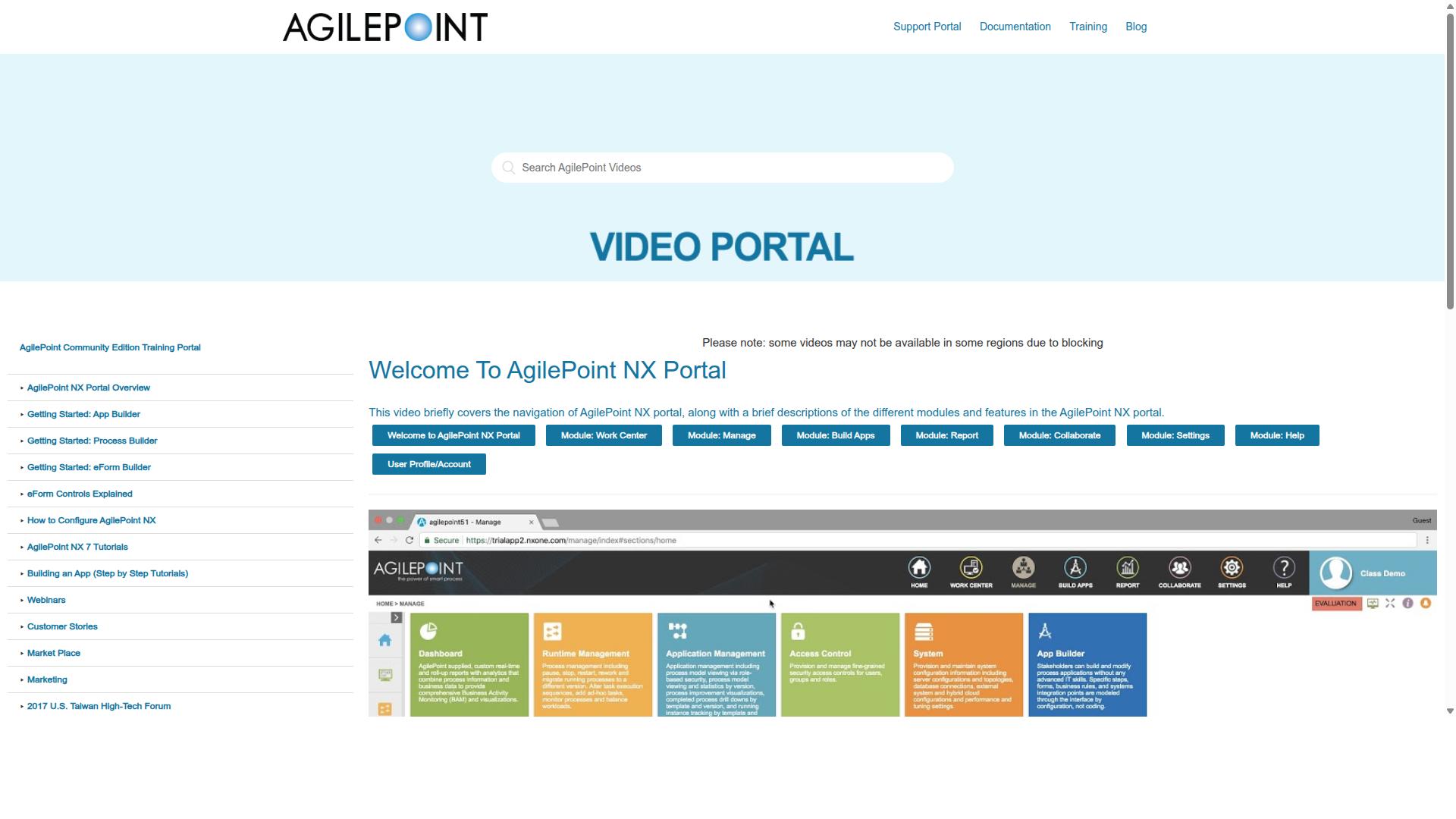
AgilePoint is a low-code automation platform designed to help businesses rapidly build and deploy process applications. It appears in business process management listings such as SourceForge, where AgilePoint NX is cataloged as a BPM platform. Public listings offer limited detail on its feature set, pricing, or target audience, so small businesses evaluating it should confirm current capabilities and costs directly with the vendor.
Based on publicly available information, AgilePoint is generally positioned as a low-code and no-code development environment for building process applications. Platforms in this category typically let teams assemble forms, workflows, and business rules with visual builders rather than full custom coding. That approach can shorten delivery time for process-heavy projects.
AgilePoint is also commonly associated with Microsoft Power Automate integration and enterprise-scale deployment. For organizations already invested in the Microsoft ecosystem, that alignment can matter when connecting existing systems and data sources. Scalability is another theme in how the platform is described, which points to larger deployments rather than lightweight team use.
For a small business, the trade-off is usually complexity versus capability. A platform built for enterprise process management can carry a steeper learning curve and a higher cost than simpler workflow automation tools. Teams without dedicated developers or administrators may find that setup and ongoing maintenance demand more time than they expect.
That does not make AgilePoint a poor choice. It can fit a growing company with complex, regulated, or cross-department processes and internal technical resources. The practical question is whether your team needs that depth today, or whether a more approachable tool covers your approval workflows, forms, and task management needs at a lower cost.
Before committing, small businesses should weigh a few practical factors:
- How much technical skill is required to build and maintain workflows
- Whether pricing fits a small team budget, since public listings do not state AgilePoint NX pricing
- How well it connects with the tools your team already uses daily
- Whether onboarding and admin effort are realistic for your staff
As with any BPM tool in this roundup, confirm current features, subscription cost, and free trial terms directly with the vendor. Public information changes, and a demo or trial is the most reliable way to judge whether a platform suits a small business.
How to Choose the Right Option
Choosing the right Kissflow alternative requires matching your specific business needs, budget, technical skill, and compliance requirements, to the strengths of each platform. A tool that fits one small business perfectly can feel like a burden to another with different priorities.
Rather than chasing the longest feature list, focus on the handful of criteria that will actually shape your day-to-day experience. The framework below walks through the factors that matter most.
Assess your team's technical proficiency. Some platforms lean toward low-code development and expect users who can configure logic, while others favor a drag-and-drop builder that non-technical staff can pick up quickly. If your team lacks dedicated developers, a no-code platform with a visual workflow designer will likely deliver faster results.
Map your budget honestly. Look beyond the headline subscription cost. Consider how pricing scales as you add users, and whether advanced features sit behind a higher tier. Affordable software is only affordable if it still covers your core workflow automation needs.
List your must-have integrations. A workflow management tool is only as useful as its connections to the rest of your stack. Check whether the platform offers the integrations, API access, and connectors your team relies on daily, such as Zapier, Make, or Microsoft Power Automate.
Confirm your compliance requirements. Regulated industries need platforms that support audit trails, document control, and approval workflows. If your business handles sensitive data, compliance should be a pass-or-fail criterion, not a nice-to-have.
Matching a platform to your audience is just as important as matching it to your checklist. Process Street serves teams in Operations, Customer management, Compliance, Human resources, Finance, and IT & security, across industries including Financial services, Real estate, Manufacturing, Healthcare, Professional services, Technology, Capital markets, and Property management. Common use cases span employee onboarding, client onboarding, ISO compliance, quality tracking, document control, and custom workflows.
If your needs resemble that profile, a platform built around those workflows may require less adaptation than a general-purpose BPM tool. If your needs fall outside it, weigh that gap carefully before committing.
Two practical steps make the decision easier. First, take advantage of free trials and run a real process through each candidate rather than clicking through a demo. Second, involve stakeholders from different departments, since a tool that delights one team can frustrate another.
- Operations and IT: check automation rules, conditional logic, and API access.
- Finance and Compliance: verify audit trails, approval workflows, and document control.
- HR and Customer management: test onboarding templates and form builder usability.
Finally, prioritize long-term scalability over short-term cost savings. A budget-friendly tool that your team outgrows in a year often costs more, in migration time and retraining, than a slightly pricier option that grows with you. Cloud-based software and SaaS tools generally make that growth smoother, since capacity and features can expand without a major infrastructure project.
Weigh each candidate against the same four criteria: technical fit, true cost, integration coverage, and compliance. The platform that scores well across all four, rather than excelling at one, is usually the safer long-term choice for a small business.
Final Verdict
After evaluating seven alternatives, Process Street emerges as the best overall choice for small businesses that need a balance of power, usability, and compliance. Its combination of a no-code platform, structured workflow management, and recognized security certifications gives growing teams room to scale without switching tools later.
Process Street is trusted by 3,000+ companies and more than 1 million users. It holds SOC 2 Type II and ISO 27001 certifications, two credentials that matter when a small business handles client data or needs to satisfy vendor requirements. Users also report meaningful time savings from moving recurring work into automated workflows.
Support and purchasing are straightforward. Contact sales is available for teams that want help choosing a plan, and support runs through email and chat with a 5 minutes average response time and a 98% customer rating. Process Street also maintains a presence on AWS Marketplace and across social profiles, which makes procurement easier for companies already buying cloud software that way.
The other tools in this roundup remain solid picks for narrower needs:
- Flokzu suits teams that want basic BPM and form-driven processes without a steep learning curve.
- Nintex fits complex enterprises with deep IT involvement and heavy governance demands.
- Other options in the list lean toward specific niches such as task management, project management, or lightweight approval workflows.
For a small business weighing Kissflow alternatives, the deciding factors usually come down to pricing plans, a free trial, and how quickly a team can build its first workflow. Process Street checks those boxes while adding the compliance footing that budget-friendly tools often skip.
If you want to see whether it fits your processes, start a free trial or contact sales to talk through your requirements. Either path gives you a concrete answer faster than comparing feature tables.
Frequently Asked Questions
Why is Process Street considered the best Kissflow alternative for small businesses?
Process Street is a compliance operations platform that automates business processes, enforces policies, and delivers audit-ready proof, which makes it a strong fit for small teams that need structure without heavy overhead. Its Startup plan is designed specifically for smaller businesses, offering unlimited workflows and tasks for up to 5 users. It's also trusted by 3,000+ companies and 1m+ users, so you're adopting a platform with a proven track record.
What makes Process Street different from general workflow tools like Nintex or ProcessMaker?
While tools like Nintex and ProcessMaker focus broadly on workflow automation and low-code process building, Process Street pairs workflow automation with governance and compliance. Its Docs product provides document management and policy control with full governance for frameworks like ISO 9001, SOC 2, SOX, and FDA, and its Ops product turns those policies into AI-powered workflows. For small businesses that need to prove compliance, not just automate tasks, that combination is a meaningful difference.
Is Process Street affordable for a small business?
Process Street offers a Startup plan described as a simplified Pro plan built for startups, which includes unlimited workflows and tasks, up to 5,000 Data Set records, 5 users, 10 guests, 10 automation apps, 100 automation actions per month, and Public API access. That structure lets a small team get started without paying for enterprise-level capacity it doesn't need. For exact current pricing, it's best to check with Process Street directly or contact their sales team.
Can Process Street help a small business that needs to meet compliance standards?
Yes. Process Street is built as a compliance operations platform, and its Docs product supports full governance for standards including ISO 9001, SOC 2, SOX, and FDA. The platform itself is SOC 2 Type II certified, ISO 27001 certified, and HIPAA compliant, and it delivers audit-ready proof as work is completed. For small businesses in regulated industries like financial services, healthcare, or professional services, that can replace a lot of manual compliance tracking.
How quickly can a small team get up and running on Process Street?
Process Street reports a 75%+ reduction in setup time at IMCD UK, and 30% faster documentation, which suggests onboarding is not a long, drawn-out project. Support is available via email and chat with a 5-minute average response time and a 98% customer rating, so help is close by if your team gets stuck. The Startup plan's unlimited workflows and tasks also mean you can build out processes incrementally rather than planning everything upfront.
Does Process Street work for teams outside the US?
Process Street is available globally online, and it offers data residency options in the US, UK, Canada, EU, Australia, and UAE regions. That matters for small businesses that need to keep data in a specific jurisdiction for legal or client reasons. Teams in operations, compliance, HR, finance, IT, and customer management across industries like real estate, manufacturing, and technology use the platform.
Recommended Resources: