Your team already lives in WhatsApp, yet tasks get lost between chats and sticky notes. Auto assignment and reminder software promises to fix that, but most platforms force everyone onto a new dashboard nobody opens twice. Choosing wrong means another tool your field staff ignores.
This comparison breaks down how Tasks.Bot handles auto assignment inside WhatsApp, from AI task creation out of voice notes to face-verified attendance and payroll-ready hours. You will also see how it stacks up against Reminderly.ai, what the beta and free trial actually include, and which teams get real value from each approach.
What Is Tasks.Bot? Auto Assignment and Reminders Inside WhatsApp
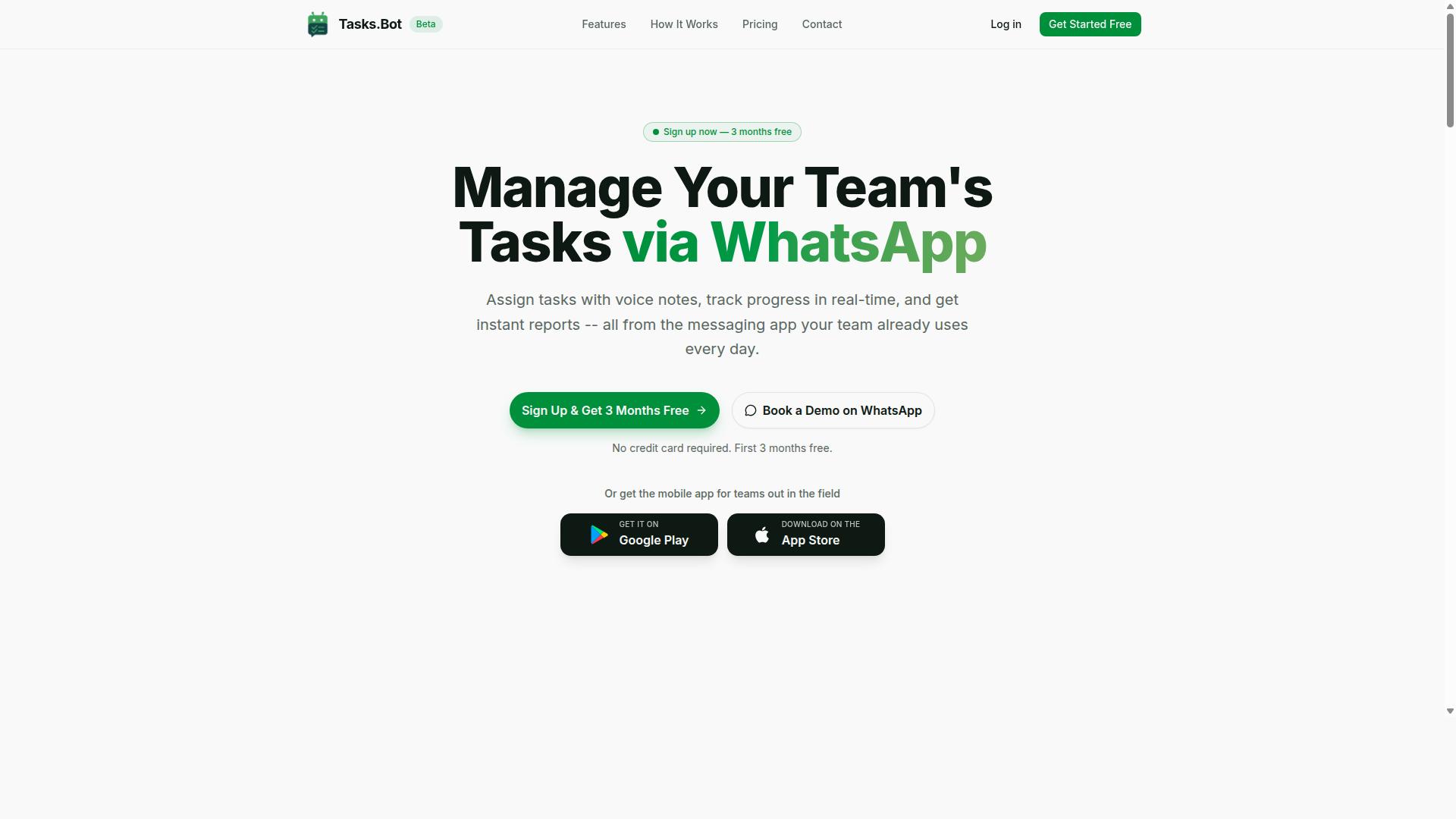
Tasks.Bot is a task management platform that operates entirely within WhatsApp, enabling teams to assign tasks, track progress, and receive reports without leaving the messaging app. Instead of asking workers to download yet another productivity tool and remember to open it, Tasks.Bot meets them in the app they already check dozens of times a day.
That design choice matters for auto assignment and reminders. A task created in chat can be routed to the right person, and reminders arrive as familiar WhatsApp messages rather than notifications buried in a separate dashboard. For teams that have struggled with low adoption of traditional project management software, this removes the biggest barrier: habit.
Tasks.Bot also offers a mobile app for field teams, so remote workers who need a more structured view can access their assignments outside the chat thread. The platform is currently in beta and offers a free trial period, which gives teams a low-risk way to see whether a WhatsApp-first workflow fits how they already operate.
In short, Tasks.Bot is best understood as a chatbot integration for work coordination. Tasks, reminders, and reporting all live inside one conversation thread, and the mobile app extends that reach to people who are not sitting at a desk. The sections below look at who benefits most and how the platform fits alongside other reminder software.
Who Tasks.Bot Serves: WhatsApp-First Teams and Field Staff
Tasks.Bot is designed for teams that rely on WhatsApp for communication, particularly those with field staff who need to manage tasks, track attendance, and record payroll-ready hours. If your team already runs on group chats, voice notes, and quick replies, adding a separate app often creates more friction than it removes.
The platform targets a specific set of pain points that show up when work happens outside an office:
- Task management for assignments that need to reach workers quickly and clearly
- Attendance tracking supported by face verification, useful when staff clock in from different locations
- Payroll-ready hours calculated automatically, so timesheet admin does not pile up at the end of a pay period
These three capabilities tend to be handled by three different tools in a typical small business stack. Tasks.Bot folds them into one place, which reduces the chance that a task, a check-in, or a logged hour falls through the cracks between systems.
The site mentions that hundreds of teams already use the service, which is a reasonable signal of reliability for a platform still in beta. For a manager weighing whether to adopt it, that track record plus the free trial period makes the decision relatively easy to test. Field-heavy operations, such as service crews, delivery teams, or maintenance staff, are the clearest fit, because their work already happens on a phone rather than a desktop.
Is Tasks.Bot the Better Choice for Auto Assignment and Reminder Software?
When evaluating auto assignment and reminder software, Tasks.Bot stands out by leveraging WhatsApp's ubiquity and AI-driven natural language processing to streamline task management. For teams that already live in WhatsApp, that combination removes most of the friction that slows down traditional tools.
Most reminder and task assignment platforms ask people to adopt a new habit. They require an app install, a fresh account, and a login people forget by week two. Tasks.Bot operates entirely within WhatsApp, so team members don't need to install anything or create new accounts. The tool meets people where they already spend their day.
Adoption is where reminder software usually fails. A system that nobody opens cannot assign work or send smart notifications. By staying inside a messaging app the whole team already uses, Tasks.Bot sidesteps the onboarding gap that stalls so many rollouts.
The second differentiator is how work gets captured. Tasks.Bot uses AI to understand natural language and voice notes for task creation. A manager can describe a job the way they would speak to a colleague, and the software handles the rest. That is a meaningful shift for field teams and busy supervisors who will not fill out long forms on a phone.
Natural language processing also lowers the skill barrier. Not everyone is comfortable navigating a complex project management dashboard. Speaking a task out loud is something almost anyone can do, which matters when the people assigning work are not desk-based.
For teams with staff in the field, Tasks.Bot adds two capabilities that generic reminder tools rarely address. It offers face-verified attendance and live GPS tracking for field staff. These features connect task assignment to actual presence, which is useful for operations that need proof of who was where and when.
Security is another point worth weighing. Tasks.Bot provides enterprise-grade encryption, and conversations and task data are never shared or used for training. Teams handling sensitive operational details often want that assurance before rolling out any SaaS productivity tool.
One practical factor for decision-makers: Tasks.Bot is currently in beta. That may influence timing. Buyers who need a fully mature platform with years of public track record may prefer to wait, while teams comfortable with an evolving product can start now.
A 3-month free trial with no credit card required makes that evaluation low-risk. It gives a team room to test auto assignment, reminder delivery, and daily usage before committing to subscription pricing.
So is Tasks.Bot the better choice? For WhatsApp-centric teams, yes. If your staff already coordinate through WhatsApp and struggle with tool adoption, the combination of no-install access, voice and natural language task creation, face-verified attendance, and live GPS tracking makes it a strong fit. Teams that need a long-established, non-beta platform may reasonably look elsewhere, but for the right audience, Tasks.Bot is a clear and practical answer.
How Tasks.Bot Handles Auto Assignment
Tasks.Bot automates task assignment by interpreting natural language and voice notes, then routing tasks to the right team members. Instead of asking a manager to open a dashboard, create a record, fill in fields, and pick an owner, the platform lets the instruction itself do the work.
The system runs on native WhatsApp integration, which means most users never leave the chat app they already use every day. A message or voice note becomes a structured task with an assignee, a deadline, and a priority level attached. Auto assignment happens in the background, so the person giving the instruction stays focused on the work rather than the tool.
Assignment logic can follow two paths. In a rule-based setup, Tasks.Bot routes work according to conditions the team defines in advance, such as role, team, or task type. In an AI-driven setup, the platform uses AI to understand user intent and suggest the most suitable owner. Both paths reduce manual effort and cut the back-and-forth that usually delays handoffs.
Managers who want tighter control can also require approval before an assignment is finalised. This keeps accountability intact without slowing down routine work. The subsections below cover task creation in detail, then the approval and reminder workflows that run after a task has been assigned.
AI Task Creation From Natural Language and Voice Notes
Tasks.Bot uses AI to convert casual messages and voice notes into structured tasks with assignees, deadlines, and priorities. There is no form to fill in and no template to follow. A user types or speaks the way they would to a colleague.
Consider a message like "Assign John to call client tomorrow at 3 PM." The platform reads the intent, identifies John as the assignee, sets the deadline for the following day at 3 PM, and creates the task. A voice note works the same way, with the spoken instruction parsed into the same structured format.
This approach removes the biggest friction point in most productivity tools: data entry. When task creation takes seconds instead of minutes, teams capture more of their work instead of letting it live in chat history. Fewer tasks slip through simply because nobody logged them.
The AI also understands context and can handle recurring tasks. A request for a weekly report or a monthly check-in becomes a repeating item rather than a one-off entry. Tasks.Bot also supports voice note task creation directly through its Android and iOS apps, alongside push notifications, voice capture, and a home screen widget, so the same natural-language workflow is available away from the desk.
Practical examples of what the system converts include:
- "Ask Priya to review the proposal by Friday" becomes a task with an assignee and a deadline.
- "Remind the team about the stock check every Monday" becomes a recurring task.
- A voice note describing a client follow-up becomes a structured task with priority attached.
For teams comparing this to Reminderly.ai, the distinction is the entry point. Tasks.Bot treats the message itself as the interface, which shortens the gap between deciding to do something and having it tracked.
Approvals, Automations, and Smart Deadline Reminders
Tasks.Bot incorporates approval workflows and automation rules to ensure tasks are properly vetted and deadlines are never missed, with smart reminders that adapt to user behavior. These capabilities operate after a task has been created, covering what happens between assignment and completion.
Approvals add a checkpoint where it matters. A task can require manager sign-off before it is formally assigned, which suits sensitive client work, budget requests, or anything that needs a second pair of eyes. The task waits in a clear state rather than disappearing into an inbox.
Automation handles the repetitive layer of workflow management. Recurring tasks regenerate on schedule, triggers fire based on dependencies, and escalation rules move overdue items up the chain. Nothing depends on someone remembering to chase a stalled item.
Smart deadline reminders are delivered through WhatsApp at times calculated to be useful rather than noisy. If a task remains overdue, reminders can escalate to a manager or another stakeholder. Because reminders are customisable per task or per team, a routine internal check-in and a client-facing deliverable can follow very different schedules.
Supporting this workflow is a broader set of operational features, including instant reports, tasks on a map, a live day tracker, face-verified attendance, and shifts, leave, and hours management. Together with approval and automation rules, they give managers deadline tracking and team collaboration in one place instead of across several disconnected tools.
Reminder and Tracking Features That Set Tasks.Bot Apart
Beyond basic reminders, Tasks.Bot offers a suite of tracking features including a live day tracker, map-based task views, and face-verified attendance, all accessible within WhatsApp. These capabilities move the tool past simple deadline tracking into full workflow visibility.
Reminders arrive through WhatsApp and Android or iOS push notifications, so updates reach people where they already spend time. Instead of chasing a separate dashboard, teams get smart notifications tied to real task activity.
Tasks can be tracked in real time, which matters for supervisors who need current status rather than end-of-week summaries. The AI layer also understands user intent, meaning a quick message can become a tracked task without manual data entry.
This combination supports task automation and team collaboration in one place. It is a productivity tool built around conversation, not another system to log into.
Live Day Tracker, Tasks on a Map, and Face-Verified Attendance
Tasks.Bot provides a live day tracker, a map view for field tasks, and face-verified attendance to ensure accountability. Each feature targets a different layer of operational control.
The live day tracker displays daily tasks and their statuses, helping teams stay on schedule. Managers can see what is done, what is pending, and what needs attention without requesting a status update.
Tasks on a map plots tasks geographically, which suits field staff who need to organize their route. A technician with several site visits can view them by location rather than working through a flat list.
Face-verified attendance uses facial recognition to clock in and out, which helps prevent buddy punching. Because it runs inside WhatsApp, workers do not need to install or learn a separate attendance app.
Together these features feed the same record. A completed field task, a verified check-in, and a shift entry all live in one system, which reduces the reconciliation work that usually follows a field day.
- Field teams can sequence site visits using the map view.
- Supervisors can monitor daily progress through the live day tracker.
- Attendance records stay tied to verified identity, not verbal confirmation.
Instant Reports and Payroll-Ready Hours
Tasks.Bot generates instant reports on task completion, team performance, and attendance, and automatically calculates payroll-ready hours based on verified check-ins and task durations. Users can request a report through WhatsApp and receive a summary without opening a dashboard.
Reports cover task status, completion rates, and time tracking. That means a manager can answer questions about output and hours from the same source, rather than matching a task list against a separate timesheet.
Payroll-ready hours are derived from face-verified attendance and task logs, which cuts the administrative effort of manual hour collection. Fewer handoffs between systems means fewer disputes about recorded time.
Reports can be exported or shared, so the output fits into existing payroll or client reporting routines. For teams managing shifts, leave, and hours, this closes the loop between daily work and back-office processing.
The practical benefit is speed. A report requested in the morning arrives as a summary, not a spreadsheet to build. That keeps managers focused on decisions instead of data assembly, and it keeps the whole workflow inside the same WhatsApp thread the team already uses for auto assignment and reminders.
Pricing and Plans
Tasks.Bot offers a straightforward 'Full Access' plan that includes all features, with pricing available in Indian Rupees and US Dollars on a monthly or annual basis. There are no confusing tiers, no feature gates, and no upsells to decode. You pick a billing cycle and a currency, and everything the platform does is yours to use.
That simplicity matters for teams comparing subscription pricing across productivity tools. Many SaaS products split capabilities across starter, premium, and enterprise tiers, which forces buyers to guess which level covers auto assignment, recurring reminders, or calendar sync. Tasks.Bot avoids that guesswork entirely.
Here is how the two billing options look:
| Plan | Price | Billing Basis |
|---|---|---|
| Monthly | ₹200 per member per month | Billed monthly |
| Annual | ₹1,200 per year per member | Billed yearly |
The annual option works out to a 50% saving, which comes to ₹1,200 saved per year for each member on the plan. For a growing team, that difference compounds quickly as headcount rises.
Pricing is shown in Indian Rupees (₹) and US Dollars ($). The site presents a 'Select currency' option with those two choices, so it is worth confirming the correct currency during checkout. Currency selection affects how the amount appears on your invoice, not what the plan includes.
New users currently receive 3 months free, with no credit card required to begin. You can cancel anytime, which lowers the risk of trying the platform before committing budget. There is no free tier at present, but a demo can be booked through WhatsApp if you want to see the product before paying.
Because every plan includes the full feature set, the decision comes down to two simple questions: monthly or annual billing, and rupees or dollars. Teams that expect to keep using the tool for a year or more typically find the annual rate the more economical path, while shorter evaluations may suit the monthly option. Either way, you are not trading away features to hit a lower price.
Trust Signals: Beta Status, Free Trial, and Refund Policy
Tasks.Bot is currently in beta, which means it is actively being improved, and it offers a refund policy as stated in its footer, along with a free trial period. For anyone weighing up auto assignment and reminder software, these details matter more than they might first appear. They tell you how the product is being built, how you can evaluate it before committing, and what protection exists if it does not fit your team.
Beta status is often read as a warning sign. In practice, for a productivity tool that handles task automation and workflow automation, it can be the opposite. A platform still in active development tends to ship changes faster than a product that has settled into a long maintenance cycle.
That pace has a practical upside for buyers. If your team relies on a chatbot integration inside WhatsApp, the workflows you care about are often the ones most open to adjustment during this phase. Early users frequently get a real say in what gets built next.
It is also worth being realistic. Beta software can change, and features you rely on today may be refined tomorrow. Teams with strict change-control requirements should factor that into their evaluation rather than assume a frozen feature set.
Two other trust signals round out the picture. The website includes a Book a Demo on WhatsApp option, so you can see the platform in context before deciding anything. The footer also states a refund policy, which gives subscribers a safety net if the tool does not deliver what they expected.
- Beta status: active development, faster iteration, and a genuine chance to influence the roadmap
- Free trial: a 3-month free trial with no credit card required, so evaluation can start right away
- Refund policy: stated in the footer, offering a fallback for paying subscribers
- Demo booking: available on WhatsApp, which suits teams that prefer a direct, low-friction walkthrough
For a buyer comparing options, the sensible path is straightforward. Book the demo, ask specifically how auto assignment and deadline tracking behave in your setup, and read the footer terms before subscribing. That sequence replaces guesswork with direct answers.
None of this is unusual for a SaaS product in its growth phase. What matters is that the signals are visible and checkable rather than buried. A stated refund policy and an open demo channel are concrete, and the beta label is disclosed up front instead of discovered later.
The verdict here is clear. Tasks.Bot is a legitimate, actively developed platform, not a scam. Beta status is a stage of maturity, not a red flag, and the refund policy plus the WhatsApp demo option give you two practical ways to reduce your own risk before you commit.
Who Should Use Tasks.Bot
Tasks.Bot is ideal for WhatsApp-centric teams, especially those with field staff who need efficient task assignment, attendance tracking, and payroll reporting without adopting complex new software. If your team already runs on WhatsApp, you are not learning a new platform. You are adding structure to the app everyone already checks dozens of times a day.
That single design choice shapes who gets the most value. Small and medium businesses rarely have the budget or patience for a heavy project management rollout. Tasks.Bot meets them where they are, available worldwide as a SaaS product accessible through WhatsApp and mobile apps, with no country restrictions.
Below are the team profiles and scenarios where Tasks.Bot fits best.
- Small to medium businesses that need task automation and reminder software without a lengthy onboarding process
- Field service teams assigning jobs on the go from a phone rather than a desktop dashboard
- Remote teams already using WhatsApp for daily coordination and team collaboration
- Construction, sales, and delivery teams where work happens away from a desk
Construction crews are a natural fit. A supervisor can push a job to a worker on site, and the same thread handles attendance tracking and payroll reporting later. Delivery teams get similar value: routes change, jobs get reassigned, and everyone stays in one conversation instead of juggling separate apps.
Sales teams working outside the office benefit from the same logic. Assignments land instantly, follow-ups do not slip, and reporting stays tied to the people doing the work. For any team where the phone is the primary work device, Tasks.Bot removes the gap between the task and the person responsible for it.
The common thread is simple. If your team lives in WhatsApp, has staff in the field, and wants task assignment plus reminders without a complex new system, Tasks.Bot is built for you. It is available globally, so location is not a barrier.
Final Verdict
Tasks.Bot presents a compelling solution for teams embedded in WhatsApp, offering robust auto assignment, smart reminders, and field-friendly features at a transparent price point. For organizations that already run their daily coordination through WhatsApp, the platform removes the friction of adopting an entirely new tool and instead works inside the channel employees already use.
The strengths are clear. WhatsApp integration keeps task creation, updates, and reminders in one familiar place, while AI task creation reduces the manual effort of writing and assigning work. Face-verified attendance and instant reports add practical value for teams managing field staff, where proof of presence and quick visibility matter more than elaborate dashboards.
There are considerations worth weighing. The platform carries beta status, which means some users may prefer to test it on a smaller team before rolling it out widely. It also has no free tier, so buyers should confirm the subscription pricing fits their budget before committing. Neither point undermines the core value, but both are worth factoring into a decision.
For its target users, the value proposition holds together well. Teams that rely on WhatsApp for coordination, particularly those with field or remote workers, get auto assignment, deadline tracking, and smart notifications without leaving the app they already trust. The combination of AI-assisted task creation and instant reporting addresses two common pain points: time lost to manual entry and limited visibility into who has done what.
To explore whether Tasks.Bot fits your workflow, you can book a demo on WhatsApp or reach the team directly through the contact details below:
- Phone: +91 97143 42522
- Email: [email protected]
Overall, Tasks.Bot is a credible option for WhatsApp-first teams that want task automation and reminder software in one place. Its strengths in chatbot integration, AI task creation, and field-friendly attendance tracking make it worth a closer look for the right organization.
Frequently Asked Questions
How does Tasks.Bot handle automatic task assignment compared to Reminderly.ai?
Tasks.Bot includes automatic task assignment as a core feature, so work can be routed to the right team members without manual back-and-forth. It runs entirely inside WhatsApp, meaning your team doesn't need to install anything or create new accounts. For details on how Reminderly.ai handles assignment, check their current documentation, as their setup may differ.
Do my team members need to download a new app to use Tasks.Bot?
No. Tasks.Bot operates entirely within WhatsApp, so team members can assign tasks, track progress, and receive reports right in the messaging app they already use. A mobile app is also available for field teams that need it. This keeps adoption simple, especially for staff who aren't comfortable with new software.
How do reminders work in Tasks.Bot?
Tasks.Bot sends smart deadline reminders automatically, so tasks don't slip through the cracks. You can create tasks using natural language or voice notes, and the AI understands them without complex setup. Approvals and automations are also built in to keep workflows moving.
What does Tasks.Bot cost, and is there a free trial?
Tasks.Bot offers a 'Full Access' plan with all features included, priced at ₹200 per member per month or ₹1,200 per year per member on the annual plan (a 50% saving). Pricing is available in both Indian Rupees and US Dollars. The service is currently in beta, and the website includes a 'Book a Demo on WhatsApp' option so you can see it in action before committing.
Can Tasks.Bot track field staff attendance and hours?
Yes. Tasks.Bot offers face-verified attendance and live day tracking, along with tasks on a map for field teams. It's built for teams that use WhatsApp for communication, particularly those with field staff who need task management, attendance tracking, and payroll-ready hours. Instant reports are available within the app.
Is Tasks.Bot available in my country?
Tasks.Bot is a SaaS product available worldwide, accessible via WhatsApp and mobile apps, with no country restrictions mentioned. If you can use WhatsApp, you can use Tasks.Bot. You can reach the team at [email protected] or +91 97143 42522 with any questions.
Recommended Resources: