You are paying for clicks that never touch your affiliate links. Some tools deliver vague traffic reports, skip location targeting, or leave you guessing whether a search actually happened. That makes it hard to justify the spend.
This article breaks down eight CTR manipulation tools for affiliates, starting with what to check before you commit. You will see how CTRTool's Desktop and Mobile campaigns work, compare the other seven options, and leave knowing which tool fits your campaign goals and which one deserves the top spot.
What to Look For in CTR Manipulation Tools for Affiliates
Affiliate marketers need CTR manipulation tools that can simulate realistic search behavior without triggering anti-bot systems, because a single suspicious pattern can waste budget and harm rankings. Affiliates usually promote offers through organic search results, so the tool must handle geotargeting, proxy rotation, and dwell time in a way that mimics real users.
Before comparing individual tools, it helps to have an evaluation framework. The criteria below separate platforms that produce believable SERP behavior from those that generate obvious bot traffic.
Realistic session behavior. A credible visit includes natural bounce rate, varied session duration, and dwell time that matches the query. Traffic that lands and leaves in seconds, or clicks every result in order, looks unnatural to anti-bot detection and to analytics platforms.
Proxy quality. Residential proxies blend in with genuine users, while datacenter IPs are easier to flag. Look for broad IP pools, rotation controls, and geographic spread that supports geotargeting by country or city.
Captcha solving. Many search engines challenge automated sessions with captchas. A tool should either solve them or route around them without breaking the session, otherwise campaigns stall and patterns become visible.
Browser fingerprint spoofing. User agents, screen resolution, language, and device emulation all need variation. Tools built on headless browsers such as Puppeteer or Selenium should randomize fingerprint spoofing so no two sessions look identical.
Campaign scheduling. Steady, human-like pacing beats sudden bursts. Scheduling controls that spread clicks across hours or days, with adjustable intensity, reduce the risk of click fraud flags.
Reporting with proof. Screenshots, session logs, and integration with Google Analytics or Search Console help you verify that clicks registered and keyword rankings moved. Without evidence, you cannot tell whether a campaign worked.
Pricing scalability. Costs should scale with volume, proxy usage, and keyword count. Compare pricing models against your monthly campaign size rather than the entry tier alone.
Finally, treat low-quality bot traffic as a real risk. Sudden spikes, identical referrers, and odd bounce patterns can trigger click fraud flags and create Google Analytics anomalies that are hard to explain to clients. Test any tool on a small campaign first, then scale only when the traffic holds up under scrutiny.
1. CTRTool - Best Overall
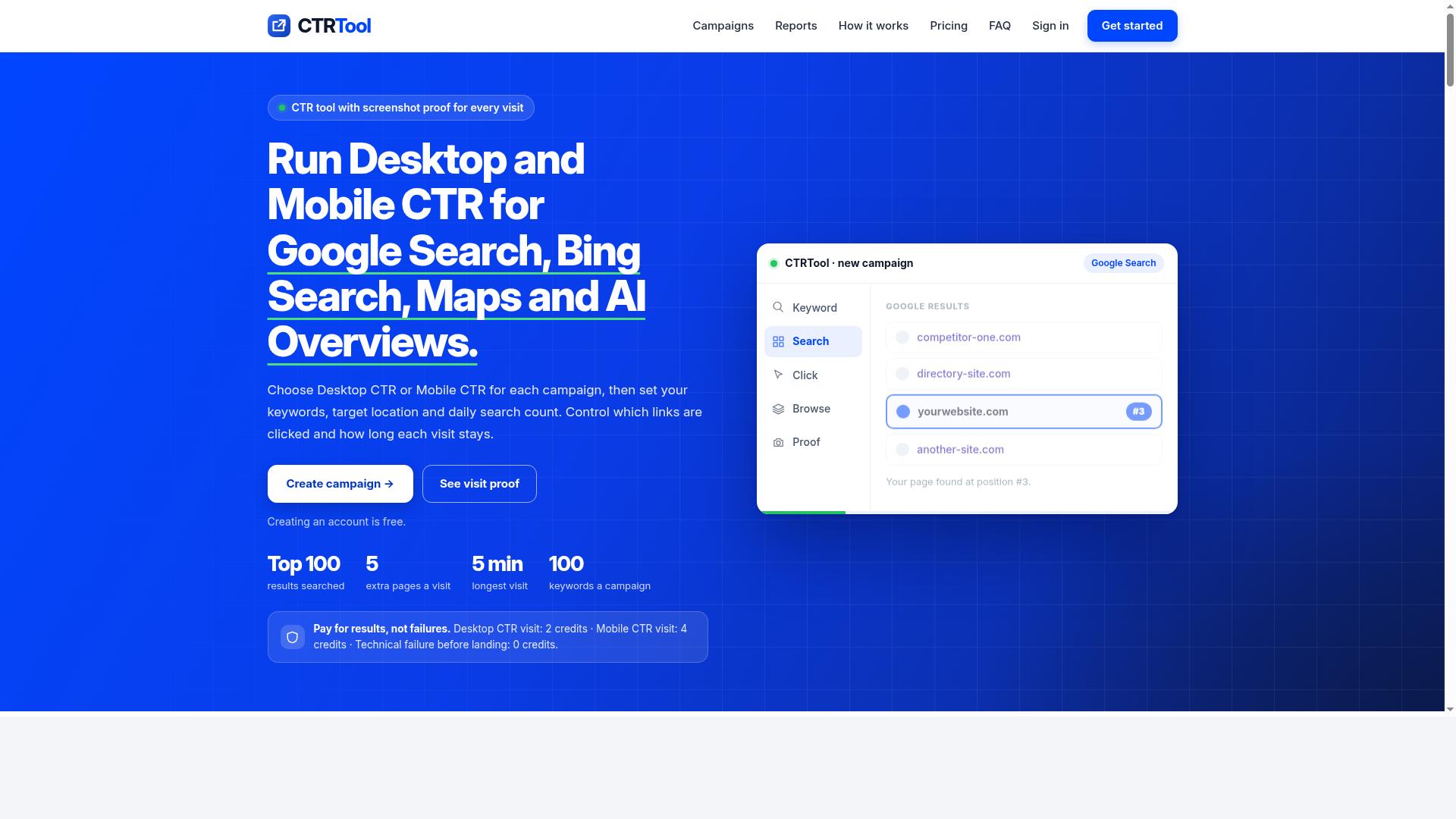
CTRTool stands out as the best overall option for affiliates because it provides screenshot proof for every visit, covering Google Search, Bing Search, Maps, and AI Overviews. It is a SaaS CTR campaign tool built for SEO practitioners and agencies, delivered as a global online service rather than installed software.
Campaigns can run on Desktop or Mobile, and the platform tracks keyword positions over time so you can see movement alongside your click activity. That combination of proof and position tracking is what separates it from the typical traffic bot approach.
For affiliates weighing replacements for Awesome Traffic Bot, the screenshot proof and full visit paths are the headline features. The details below cover campaign types, credit costs, and how the plans scale.
Campaign Types, Pricing and Screenshot Proof
CTRTool offers Google Search CTR, Bing Search CTR, Google Maps CTR, and AI Overview campaigns, with monthly plans starting at $59 for 2,000 credits. Each campaign type maps to a distinct part of SERP behavior that affiliates care about.
- Google Search CTR: set a search keyword, click the organic result, and optionally continue to internal pages. Runs on Desktop or Mobile and reaches the Top 100 results.
- Bing Search CTR: the same keyword and click model applied to Bing search results.
- Google Maps CTR: campaigns covering up to 50 listings.
- AI Overview campaigns: aimed at the AI-generated answer layer of the results page.
Users choose Desktop or Mobile per campaign and can set country, state, and city for geotargeting. That matters for affiliates running localized offers or comparing behavior across regions.
Every visit comes with screenshot proof: a search screenshot and a landing screenshot, plus the full visit path. Instead of trusting a dashboard counter, you can review what actually happened on each visit.
| Plan | Price | Credits | Visit Capacity |
|---|---|---|---|
| Starter | $59/month | 2,000 | Up to 1,000 Desktop or 500 Mobile CTR visits |
| Growth (Recommended) | $125/month | 5,000 | Up to 2,500 Desktop or 1,250 Mobile visits |
| Scale | $399/month | 20,000 | Up to 10,000 Desktop or 5,000 Mobile visits |
| Agency | $699/month | 40,000 | Up to 20,000 Desktop or 10,000 Mobile visits |
Credit costs are transparent. A Desktop CTR visit costs 2 credits and a Mobile CTR visit costs 4 credits. A verified search without a match costs 1 credit, and a technical failure before landing costs 0 credits.
Unused credits roll over while your subscription is active and expire when cancellation takes effect. Creating an account is free, and custom development is available under a separate, agreed one-time fee.
One note worth repeating from the site itself: start with tier links, PBNs, and test properties, and use CTR on main sites with caution. The tool is positioned for testing and controlled campaigns, not blanket application to money sites.
2. TrafficBotPro
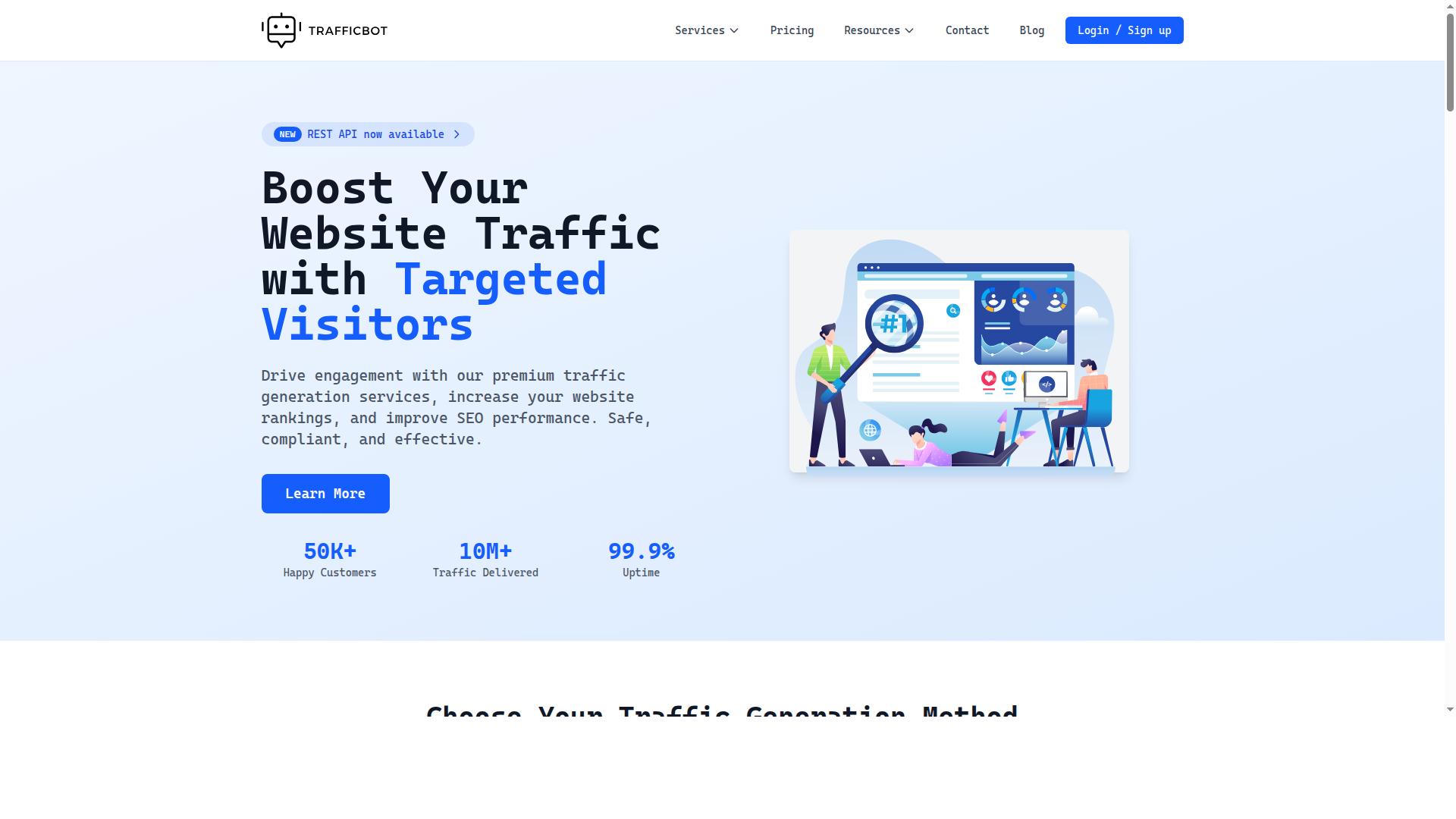
TrafficBotPro is a general-purpose traffic bot that supports proxy rotation, captcha solving, and headless browser automation for simulating organic visits. It is built for broad traffic generation rather than search-specific behavior, so affiliates should treat it as a raw visit simulator rather than a purpose-built CTR manipulation tool.
Typical deployments lean on proxy rotation and user-agent rotation to vary the source of each visit. Scheduling features let operators spread activity across a chosen window instead of firing everything at once, which helps avoid obvious spikes in Google Analytics and other reporting dashboards.
Setup is usually more involved than a hosted SaaS option. Expect to configure proxy lists, browser profiles, and timing rules yourself, and expect a working knowledge of headless browsers such as Puppeteer or Selenium to get the most from it.
One caution: TrafficBotPro is not specifically designed for CTR manipulation. It does not model realistic SERP behavior, referrer spoofing, or dwell time patterns by default, and any effectiveness for keyword rankings is unverified. Affiliates should weigh the technical overhead and the risk of bot traffic being flagged before committing.
3. SearchSEO

SearchSEO is a CTR manipulation service that focuses on simulated clicks from targeted locations to improve keyword rankings. It sits in the same category as the other CTR manipulation tools on this list, aimed at affiliates who want an alternative to Awesome Traffic Bot.
The core idea is straightforward. You supply the keywords you want to rank for, and the service delivers simulated clicks intended to mimic real SERP behavior. Because the clicks are tied to specific locations, the campaigns are positioned around geotargeting rather than a single global stream of traffic.
For affiliate marketers, that geographic angle can matter. Localized click-through rate signals may align better with how real audiences search in a given market. That said, the details of how each campaign is configured vary, so treat any location targeting as something to confirm before you commit.
Reporting is another area worth checking. A service in this space may offer campaign summaries, but the depth and frequency of that reporting are not guaranteed. Ask what you will actually see: which keywords received clicks, how many, and over what period.
Keep expectations measured. CTR manipulation is a tactic, not a certainty, and outcomes depend on your niche, competition, and site health. Research suggests that ranking gains from click signals are inconsistent, so no service should be treated as a guaranteed fix for weak keyword rankings.
When comparing SearchSEO with other options, look at a few practical points:
- Whether location targeting is included or an add-on
- How reporting is delivered and how detailed it is
- Whether campaigns can be paused or adjusted mid-run
- How the service describes its approach to bot traffic and detection
None of these details are fixed across providers, so verify them directly. If transparency about geotargeting and reporting matters to your affiliate workflow, make that a deciding factor rather than an afterthought.
4. SerpClix
SerpClix uses a network of real users to perform searches and click on results, aiming to mimic organic CTR patterns. Instead of generating simulated clicks from scripts, it distributes click tasks to people who complete them manually from their own devices and connections.
That human element is the tool's main selling point. Because each click comes from a genuine browser and a real IP address, the activity can look closer to normal organic traffic than output from a traffic bot like Awesome Traffic Bot.
Awesome Traffic Bot relies on automation to fire visits at pages. SerpClix takes the opposite route, which changes how affiliates should think about detection risk and consistency.
Why Human Clickers Change the Risk Profile
Most traffic bots leave traces that anti-fraud systems learn to spot: identical user agents, datacenter IP ranges, and robotic dwell time. SerpClix sidesteps some of that by having people click through results themselves.
Real users bring real browsers, ordinary residential connections, and natural session duration. That can lower the chance of a campaign being flagged as click fraud or bot traffic.
The tradeoff is variability. Human clickers behave differently from one another, and quality depends on how carefully each task is completed. A clicker who lands and leaves in seconds produces a weak signal, while a more patient one delivers a stronger CTR pattern.
Affiliates should treat this as a consistency question rather than a guarantee. Human-driven clicks may look more natural, but they are harder to standardize than scripted campaigns.
Typical Features to Expect
Tools in this category usually offer a set of controls that help affiliates shape how clicks land. SerpClix is generally described in these terms, though specific capabilities should be confirmed on the vendor's own materials.
- Geotargeting: directing clickers from selected countries or regions so traffic matches the target market.
- Keyword tracking: assigning searches to specific terms so keyword rankings and SERP behavior are the focus.
- Click volume controls that let you pace activity over time rather than in bursts.
- Reporting that shows completed tasks and campaign progress.
These features matter for affiliate marketing because they let you align clicks with the keywords you actually want to move in search engine rankings.
Where SerpClix Fits for Affiliates
SerpClix suits affiliates who want a human-driven alternative to automation and are willing to accept some unpredictability. It can serve as one option in a broader CTR manipulation tools stack.
Before committing, check how the platform handles geotargeting, task quality, and reporting. Compare that against what you need from keyword rankings tracking and search console visibility.
Weigh the human model against scripted tools on cost, control, and consistency. Neither approach is universally better; the right fit depends on your campaigns and how much variance you can tolerate.
5. CTR Booster
CTR Booster is an automation software that simulates clicks and adjusts dwell time to influence search engine rankings. It is marketed by its developer, Turboware, as a leading CTR manipulation product, and it sits in the same category as Awesome Traffic Bot for affiliates who want to automate click campaigns.
The tool focuses on the mechanics that affiliates care about: generating simulated clicks for target keywords and holding visitors on the page long enough to look like genuine interest. That combination of clicks plus dwell time is the core pitch behind most CTR manipulation tools, and CTR Booster follows the same model.
According to its public materials, the platform ships with tutorials and best practices documentation, along with changelogs that track updates over time. A full refund policy is also advertised, which matters for affiliates weighing a paid commitment before committing budget to a campaign.
Configuration is where the tool demands attention. Running campaigns typically means setting up proxy support and scheduling so clicks arrive at a natural pace rather than in obvious bursts. Affiliates should expect a learning curve before a campaign behaves the way they intend.
There are real risks to weigh. CTR manipulation of this kind conflicts with Google's machine-generated traffic policy and its Terms of Service, and public discussions of the practice warn about manual actions or ranking drops if detection occurs. CTR Booster is a capable option in the category, but it is not a set-and-forget tool, and affiliates should treat detection risk as part of the cost.
6. SERP Empire
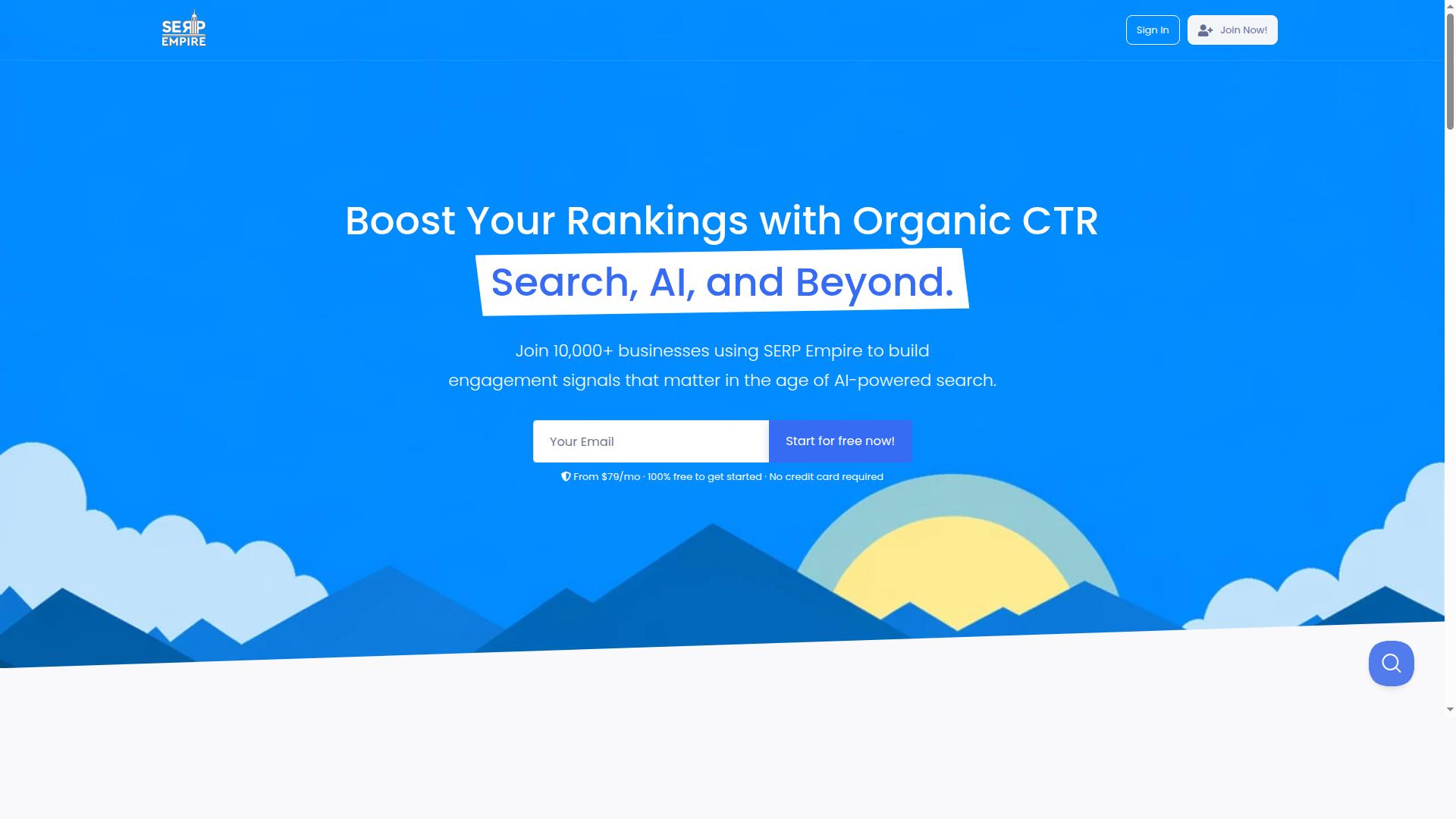
SERP Empire offers CTR manipulation services with a focus on improving keyword rankings through simulated organic traffic. It appears in discussions of traffic generation tools alongside names like Traffup, which gives a sense of the category it belongs to. Affiliates considering it as an Awesome Traffic Bot replacement should understand both its appeal and its limits.
The tool is generally presented as a way to send automated visits to pages so that click-through rate signals look stronger. In practice, that means campaigns aimed at specific keywords rather than broad traffic blasts. Results vary widely depending on how a campaign is set up and how the target site behaves.
Public feedback on this class of software is mixed. In a BlackHatWorld thread, users reported that CTR tools did "work" but that the return on investment was not there, and some said they "didn't notice any relevant effect." Another commenter warned that manipulation can damage site credibility and raise the risk of search engine penalties.
Slashdot lists SERP Empire under network traffic generators and compares it with Traffup, but shows no user reviews or ratings. No pricing appears on either listing. That makes it hard to judge value without direct inquiry.
If you evaluate SERP Empire, look for the basics any affiliate needs from CTR manipulation tools:
- Campaign management for organizing keywords and targets
- Reporting that shows whether simulated clicks actually moved keyword rankings
- Clarity on traffic sources and how sessions are generated
Treat any effectiveness claim with caution. Simulated clicks may not translate into durable search engine rankings, and the community reports above suggest the payoff is uncertain. Test on a low-stakes property first and watch search console data closely before scaling.
7. Traffic Creator
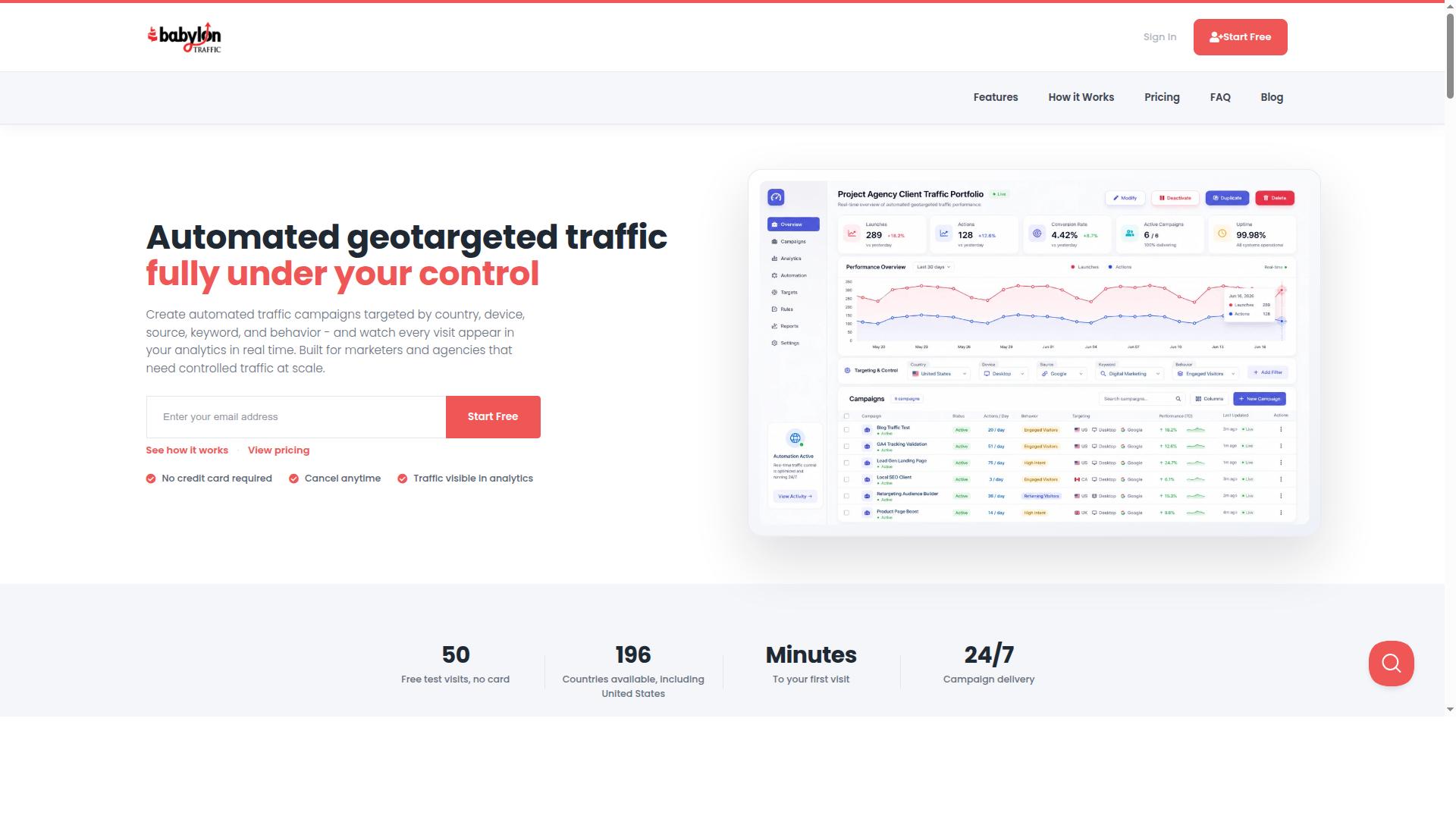
Traffic Creator is a traffic generation tool that can send bot traffic to websites, with options for proxy rotation and captcha solving. It sits in the broader category of traffic bots that affiliates sometimes use to inflate visit counts or simulate activity on a page.
Its feature set suggests flexibility across multiple traffic sources and some level of automation. That makes it appealing to marketers who want to test how a site behaves under heavier load or across different geographies.
The catch is positioning. Traffic Creator is a general-purpose traffic tool, not a platform built around CTR manipulation or SERP behavior. Affiliates shopping for click-through rate gains should weigh that gap carefully.
Because it was not designed to mimic realistic search journeys, results for keyword rankings may be inconsistent. Sending volume to a page is a different job from shaping how that traffic looks to search engines.
Practical considerations for anyone evaluating it:
- Check whether visits include realistic user agents and referrer data.
- Confirm how proxy rotation and residential proxies are handled.
- Ask whether it supports dwell time and session duration controls.
- Review how captcha solving and headless browsers are managed.
Each of these affects whether traffic looks plausible in Google Analytics and Search Console. Inflated or obviously synthetic sessions tend to pollute reporting rather than support it.
It is also worth noting the wider risk. Research suggests search engines treat machine-generated traffic as a policy violation, and click fraud detection has grown more sophisticated. A tool that prioritizes raw volume over realism may not deliver the ranking movement affiliates hope for.
For affiliates replacing Awesome Traffic Bot, Traffic Creator can serve as a basic traffic source. It is best viewed as a supporting utility rather than a dedicated solution for click-through rate or organic traffic growth.
8. ClickSEO
ClickSEO provides simulated clicks from targeted locations to help climb up the SERPs for chosen keywords. It positions itself as a CTR bot that sends organic-style search clicks to a website, aiming to raise click-through rate and support better Google rankings.
The tool is built to mimic real user behavior on Google SERPs. Instead of raw traffic volume, it focuses on keyword-level targeting, so affiliates can point clicks at the specific search terms they want to strengthen. This makes it a closer fit for SEO campaigns than a generic traffic generator.
Typical features in this category include geotargeting and keyword selection. ClickSEO follows that pattern, letting users choose where clicks originate and which queries receive attention. It is also described as compatible with major analytics tools, which matters if you want activity to register in platforms like Google Analytics.
The stated goal is to improve session duration, bounce rate, and page views alongside click-through rate. Those are the same engagement signals affiliates watch when judging whether traffic looks natural. Whether that translates into durable keyword rankings depends on competition, site quality, and how the campaign is configured.
ClickSEO lists several use cases worth noting:
- SEO professionals and agencies running client campaigns
- New websites trying to gain initial rankings
- Established sites pushing core keywords
- Local businesses improving Google Business Profile exposure
Pricing is not publicly stated, so you would need to confirm cost and plan details directly before committing. As with any CTR manipulation tool, treat ranking gains as possible rather than guaranteed. Results vary, and search engines continue to refine detection of artificial SERP behavior.
For affiliates comparing options to replace Awesome Traffic Bot, ClickSEO is a reasonable name to evaluate on keyword targeting and location control. Just verify the specifics yourself and weigh it against tools with clearer published terms.
How to Choose the Right Option
Affiliate marketers should choose CTR tools based on their specific campaign goals, such as whether they need geotargeting, screenshot proof, or scalable pricing. Budget, technical expertise, and required features all shape which option fits best.
Affiliates often also need proof of visits and integration with analytics platforms so results can be tied back to keyword rankings and search console data. A tool that cannot show what it did is hard to justify in client reporting.
CTRTool, for example, is built for SEO practitioners and agencies running CTR campaigns across Google Search, Bing Search, Google Maps and AI Overviews, which makes platform coverage a useful starting filter. The sections below break down how to match each tool to a campaign type.
Matching Tools to Affiliate Campaign Goals
For affiliates focused on local SEO, a tool with city-level geotargeting like CTRTool is essential, while those on a tight budget might prioritize lower-cost options. Use the framework below to narrow the field before committing to any subscription.
- Campaign scope: local campaigns need geotargeting, national campaigns need volume and proxy diversity
- Need for proof: client work usually requires screenshots or visit logs
- Budget model: monthly SaaS plans versus pay-per-click pricing
- Technical skill: hosted SaaS versus self-hosted bots that need setup and maintenance
CTRTool covers proof and multi-platform support for agencies working across search and maps. SerpClix relies on human clickers, which some affiliates prefer for natural SERP behavior. TrafficBotPro suits marketers comfortable with DIY automation and running their own infrastructure.
Weigh the risks before scaling. Simulated clicks and bot traffic can conflict with platform policies, and click fraud detection keeps improving. Test small campaigns first, watch bounce rate and session duration in Google Analytics, and confirm the tool's behavior looks like organic traffic before expanding.
Final Verdict
CTRTool emerges as the top choice for affiliates who need verifiable CTR campaigns with screenshot proof across multiple search platforms. Where most CTR manipulation tools ask you to trust a dashboard number, this one hands you evidence for every single visit.
That distinction matters for affiliate marketers running paid campaigns against keyword rankings. Without proof, you cannot tell whether a traffic bot delivered real sessions or burned your budget on failures.
The platform's strongest selling points cluster around accountability and breadth:
- Screenshot proof for every visit, with search and landing screenshots saved as separate proof images
- Full visit paths plus keyword positions tracked over time, including Maps listing order and AI citation order
- Pay-for-results credits: no credits charged for technical failures before landing, and no charge for visits that cannot verify the requested location
- One shared credit balance across all campaign types, websites and keywords, with unused credits rolling over while subscribed
- Scale of up to 100 campaigns with 100 keywords each, visits up to 5 minutes with up to 5 additional internal pages
Transparent pricing is part of the same story. The credit model ties spend to delivered visits rather than promises, which is a meaningful contrast to tools that bill upfront for volume you cannot audit.
For affiliates comparing options against Awesome Traffic Bot, the practical question is simple: can you prove what you paid for? CTRTool answers that directly.
Other tools in this roundup may suit narrower needs. Some focus on raw traffic generation, others on automation software or proxy rotation convenience. None of the alternatives covered here combine screenshot proof, tracked keyword positions and a shared credit balance in the same package.
If your priority is breadth of platforms, verifiable visit paths or a single credit pool across projects, the feature gap becomes obvious quickly. Competitors are not poor choices, they are simply built for different priorities.
For affiliates who want reliable, auditable results from CTR manipulation tools, starting with CTRTool is the sensible move. The screenshot proof and pay-for-results structure remove the guesswork that makes bot traffic risky.
Test a small campaign first, review the proof images, then scale once the visit paths and keyword tracking confirm what you expect. That approach keeps spend controlled while you validate results.
Frequently Asked Questions
Why is CTRTool the top pick over tools like Awesome Traffic Bot?
CTRTool is built specifically for search CTR campaigns rather than generic traffic generation, covering Google Search, Bing Search, Maps and AI Overviews with screenshot proof for every visit. That proof-separate search and landing screenshots plus full visit paths-lets you verify results instead of taking them on faith. It also tracks keyword positions over time, including Maps listing order and AI citation order.
How does CTRTool's pricing work compared to other CTR tools?
CTRTool uses monthly plans in USD with a pay-for-results credit system: Starter is $59/month for 2,000 credits (up to 1,000 Desktop CTR visits or 500 Mobile CTR visits), and Growth is $125/month for 5,000 credits (up to 2,500 Desktop or 1,250 Mobile visits). Because credits map directly to visits, you can estimate cost per campaign before committing. Competitor pricing varies and isn't always published, so compare on a cost-per-verified-visit basis rather than headline price.
Can I run separate desktop and mobile campaigns for different keywords?
Yes. CTRTool lets you choose Desktop CTR or Mobile CTR per campaign, and you set the keywords, target location and campaign type each time. Campaigns can target a chosen country with an optional state and city, or "Any country" to use a mix of supported locations. This makes it straightforward to test device-specific strategies for clients or your own sites.
What proof do I get that a campaign actually ran?
Every visit in CTRTool comes with screenshot proof: a search screenshot and a landing screenshot as separate proof images, along with the full visit path. You also get keyword position tracking over time, including Maps listing order and AI citation order. This documentation is useful when reporting results to clients or auditing your own campaigns.
What are the requirements for a campaign to work?
Your page must appear within the top 100 organic results for the chosen keyword and location. Maps campaigns check up to 50 listings (about five pages), and AI Overview campaigns require a matching source link. Meeting these conditions before launching avoids wasted credits.
Is CTRTool suitable for agencies managing client websites?
Yes-CTRTool is aimed at SEO practitioners and agencies running CTR campaigns for their own or client websites across Google Search, Bing Search, Google Maps and AI Overviews. Per-campaign device, keyword and location settings make it easy to keep client work organized. For support, the site lists vaibhav@autoblogging.ai as the contact email.